 Image Plot Rasters
Plots multiple layouts to rasters at specified resolution and creates companion world files.
Keyboard Command: ImgPltRas
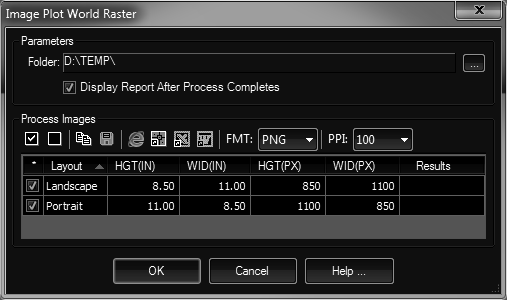
Procedure:
- Open the drawing containing the layouts to plot to rasters.
- Initiate the tool using the menu, ribbon or command above.
- Optionally change the output folder and other options.
- Designate the layouts to plot using the adjacent checkboxes.
- Click OK to begin processing.
Notes:
- When the command is started, it copies needed PC3/PMP files to the AutoCAD-inspired
%RoamableRootFolder%. - If the display report toggle is on, a detailed report will appear in your default web browser after completion.