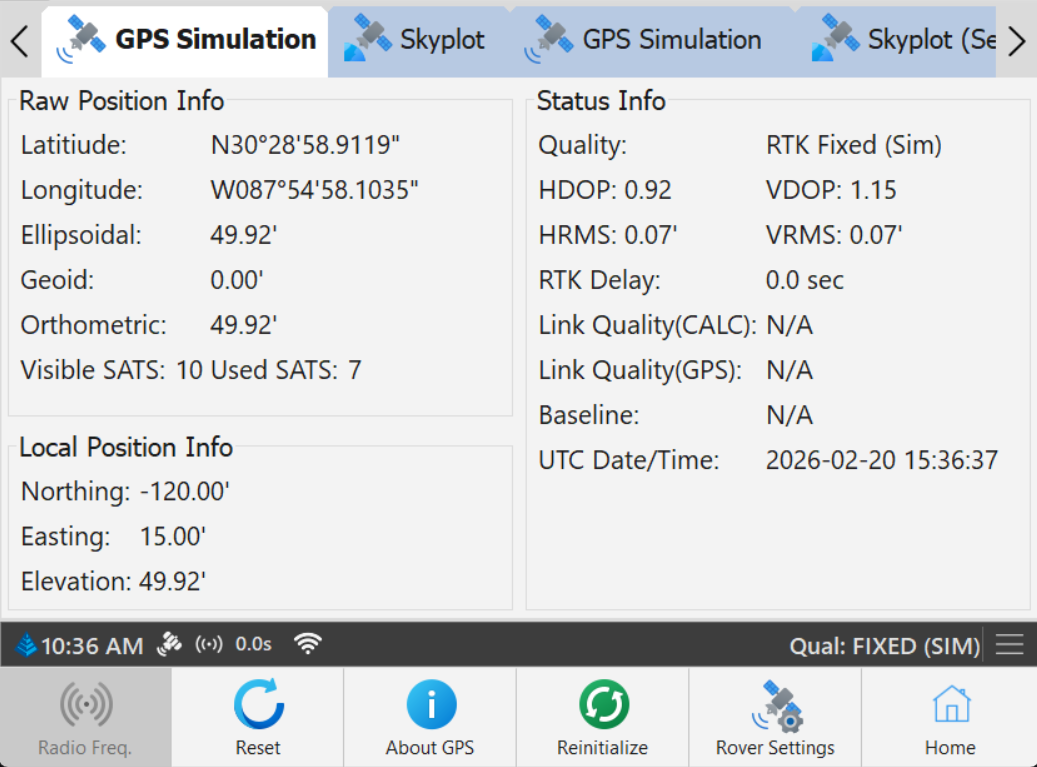
The GPS tab will have the name of the driver located on the tab. It contains all of the information, raw and converted, provided by the GPS receiver. There will be a separate GPS page for each driver connected to the machine.
GPS Monitor Page
Raw Position Info
Latitude Longitude: Raw position
Ellipsoidal: Ellipsoidal elevation.
Geoid: Separation from the geoid grid.
Orthometric:.
Visible SATS: Total number of GPS/GLONASS satellites visible in the sky.
Used SATS: Total number of GPS/GLONASS satellites being used in the computed position.
Local Position Info
Northing/Easting: Calculated local horizontal position.
Elevation: Calculated local elevation.
Status Info
Quality: Describes the precision of the position information
RTK Fixed - RTK corrections being received and satellites combine to provide 1cm accuracy. This state is critical for most operations.
RTK Float - RTK corrections being received, but a fixed solution has not yet been reached.
Stand Alone - No RTK corrections.
DGPS, Differential float, WAAS, etc - No RTK, however a wide area correction is available which will improve the accuracy of the position.
.
HDOP: Horizontal dilution of precision.
VDOP: Vertical dilution of precision.
HRMS: Horizontal root mean square, a measurement of position accuracy.
VRMS: Vertical root mean square, a measurement of position accuracy.
RTK Delay: Time in seconds since the last RTK message was received.
Link Quality (CALC): A calculation of how strong the link between the source of corrections is to the receiver. This will be calculated by PDGrade only if it is not provided by the receiver.
Link Quality (GPS): A calculation of how strong the link between the source of corrections is to the receiver. This comes from the receiver.
Baseline: Distance from the base station and the rover.
UTC Date: Date provided by the receiver in UTC (Universal Time Coordinated).
UTC Time: Time provided by the receiver in UTC.
Toolbar Buttons
Radio Frequency: The frequency upon which the radio is sending/receiving.
Reset: Opens a dialog to confirm a hard reset on the GPS.
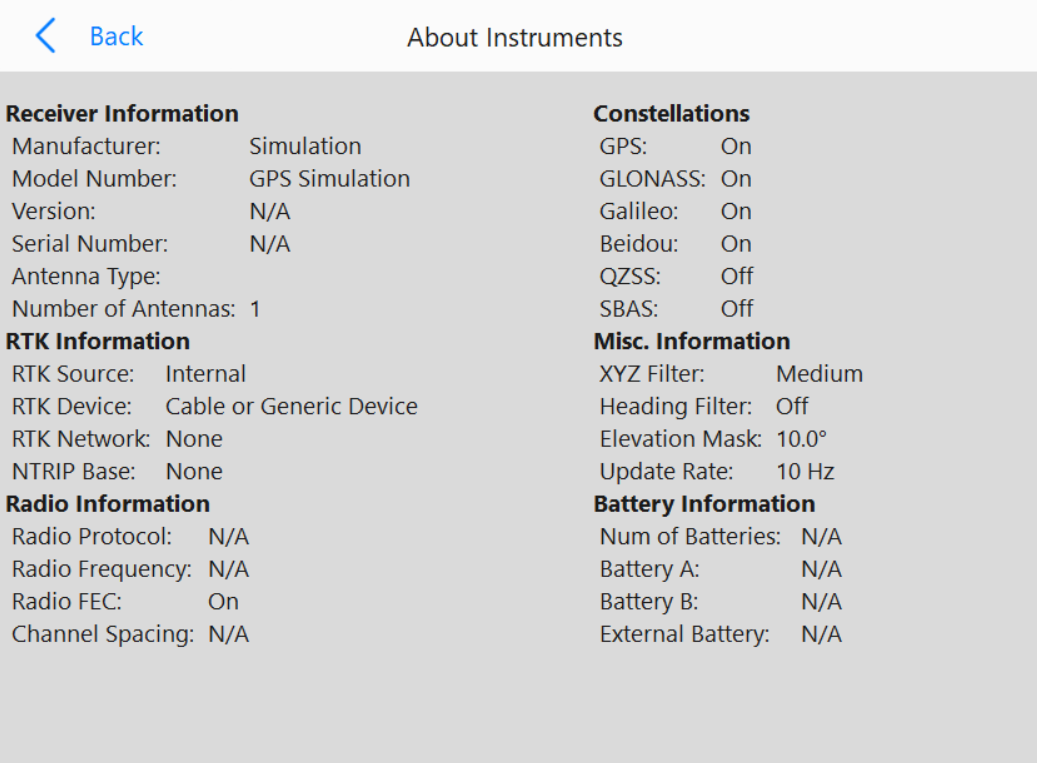
About GPS: Opens the below menu to display more information about the GPS
About Instruments
.
Reinitialize: Disconnects and reconnects the GPS.
Rover Settings: Opens the GPS setup page for the corresponding driver this page describes.