IMPORTANT: Survey rover is required to calibrate Hammer Antenna Height.
Place the survey rover on Top/Center on an installed pile.
Remove any Rod Height values in the data collection software and set to 0.0’.
Configure the survey rover appropriately and record the NEZ (Northing, Easting, Elevation) at top-center of the pile.
Following the software prompts, center the hammer 4"-6" over the calibration pile. If the weight of the hammer is on the pile during these steps, the calibration may be affected.
If Two Sided Calibration Method is selected, once you have calculated “Side A” antenna offsets, you will be prompted to move to the opposite side of the pile (180 degrees) to calculate and record “Side B” Offsets.
A survey rover will be used to collect as-built information of a pile, and used by Grade to calibrate the antenna. A two-sided calibration may used be if:
You are using "C channel" piles
You want to mitigate errors in row-to-row distances
You are using custom pile guides that do not center the pile beneath the striker plate.
Settings
Calculate Antenna Offset
Buttons
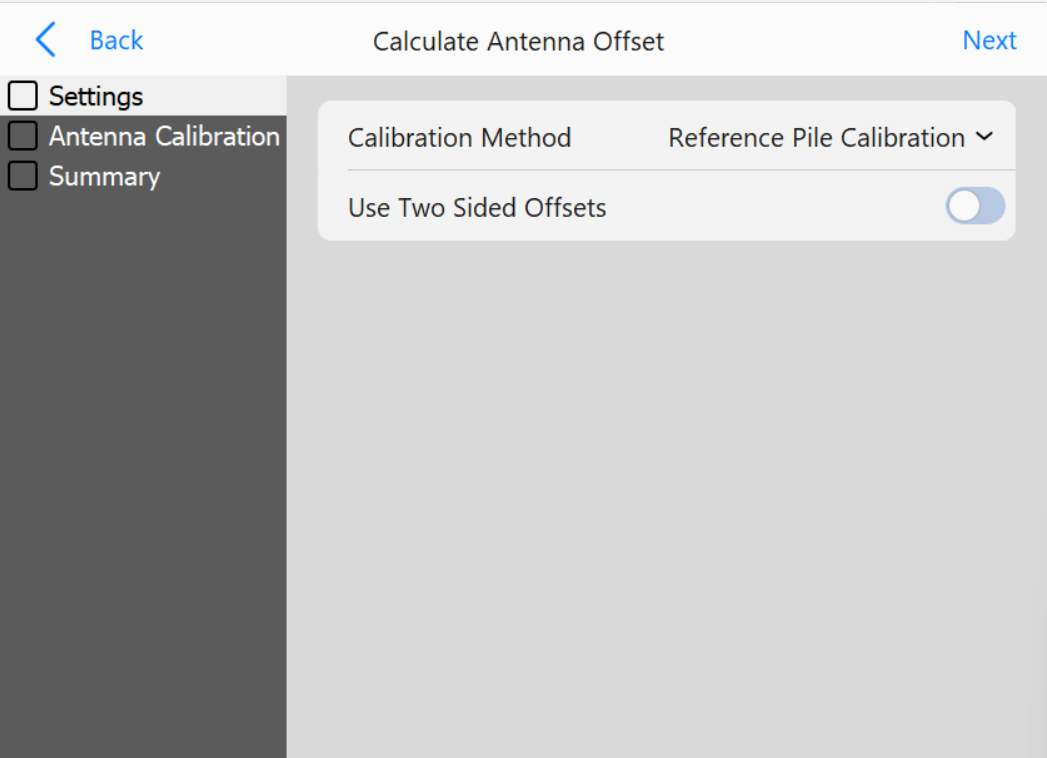
Calibration Method: Select the method to use for antenna calibration. See the workflow section for descriptions of available methods
Use Two Sided Offsets (Reference Pile Calibration Method only): Toggle whether a two-sided offset will be used. Two sided offsets are useful for running “C Channel” piles, seeing discrepancies in row to row accuracies, or using custom guides that do not center piles beneath the center of the striker plate.
Side A Offset Name (If Two-Sided Offset is enabled): Define a name for Side A
Side B Offset Name (If Two-Sided Offset is enabled): Define a name for Side B
Antenna Calibration
Antenna Calibration
Buttons
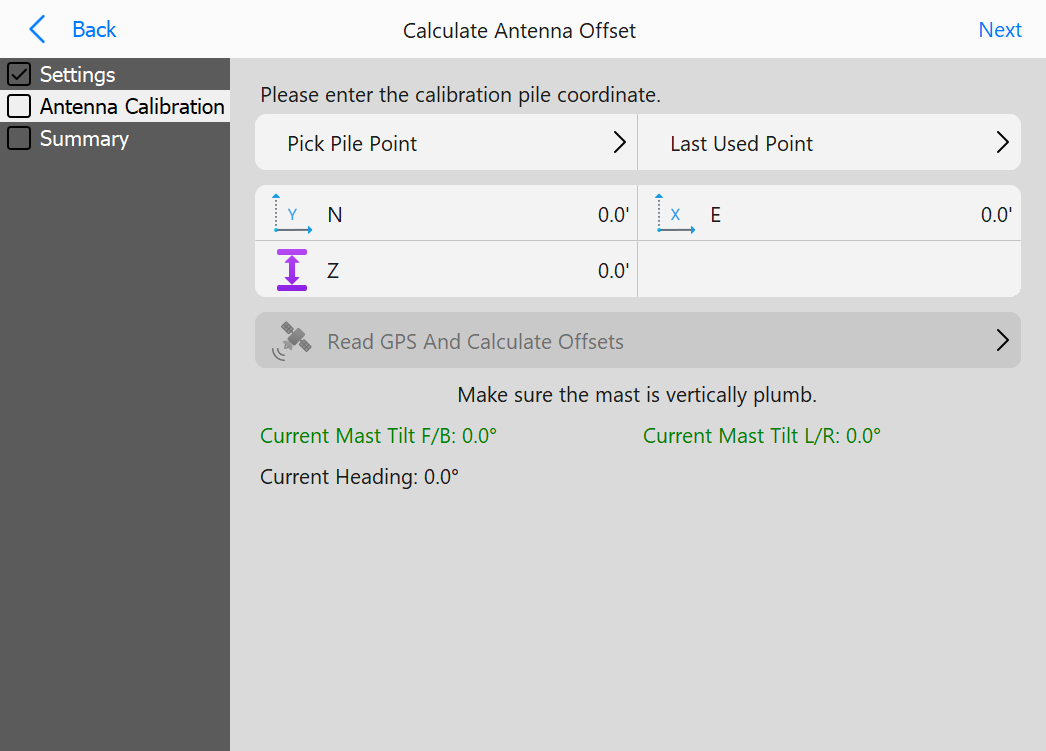
Pick Pile Point: Choose a reference pile point to calibrate against
Last Used Point: Load the last used pile point entered
N: Change the chosen pile northing
E: Change the chosen pile easting
Z: Change the chosen pile elevation
Read GPS And Calculate Offsets: Begin the calibration process
Calibration Summary
Summary
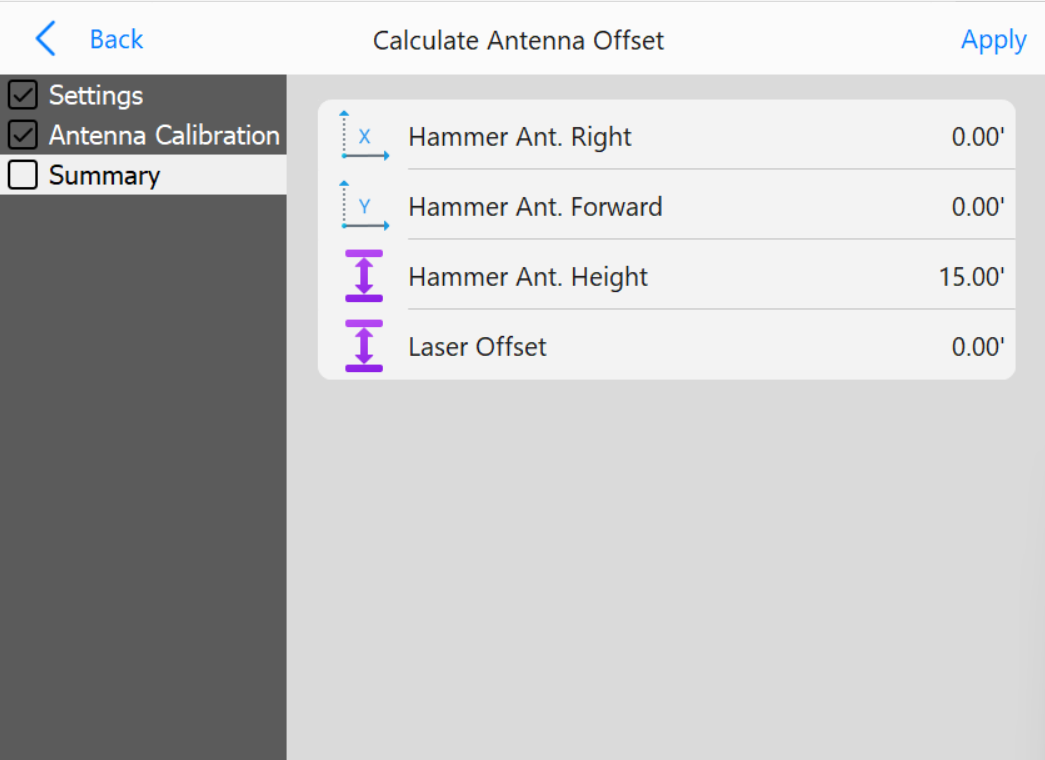
Use this page to verify and adjust the results of the automatic calibration
Buttons
Hammer Ant. Right: Right offset of the antenna
Hammer Ant. Forward: Forward offset of the antenna