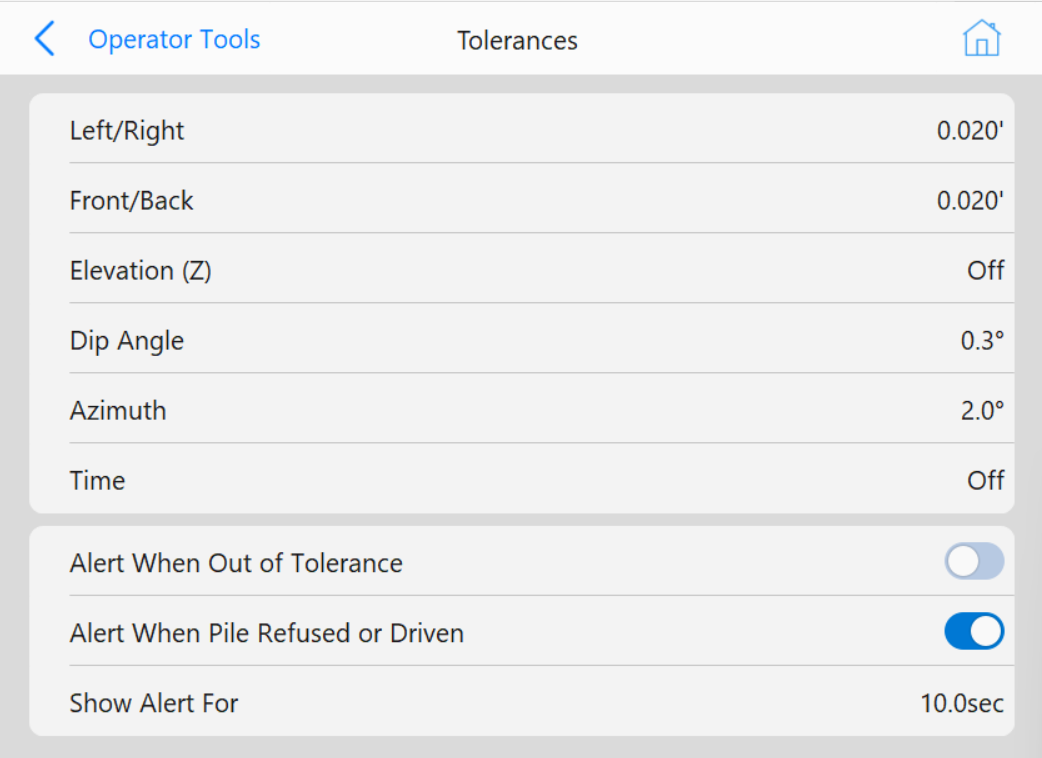
The Navigation Tolerances settings define acceptable deviations for pile placement. Properly configuring these tolerances ensures accurate positioning and enables the Hammer OK symbol for operator guidance.
Tolerance Parameters
- Left/Right: Set the left to right pile position tolerance.
- Front/Back: Set the front to back pile position tolerance.
- Elevation: Set the top-of-pile elevation tolerance.
- Azimuth: Set the pile azimuth (heading or rotation) tolerance.
- Dip Angle: Set a pile insertion angle tolerance.
- Time: Define a time threshold before tolerances reset or update.
Behavior & Effects
- A value of 0 disables the corresponding tolerance.
- If no tolerances are set (all values are 0), the Hammer OK symbol and cross-hairs for proper pile positioning will not appear.
- When all specified tolerances are met, the cross-hairs will turn green. Piling may be started at this time.
Alerts
Alert When Out of Tolerance
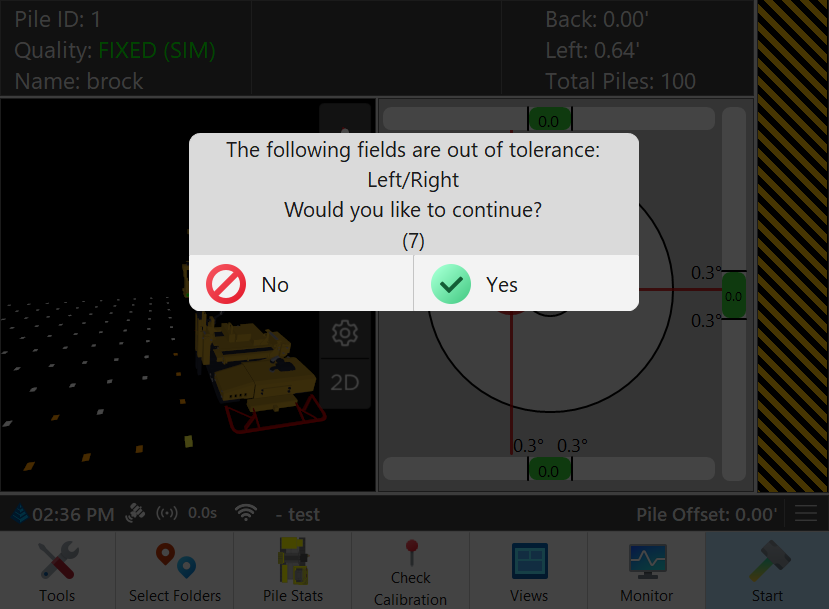
If this option is enabled, the following popup will display if a pile is started when out of tolerance The countdown is determined by the Show Alert For value that appears under the enabled button