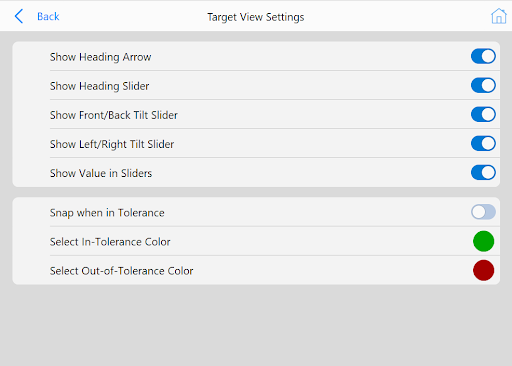
The top panel shows/hides various aspects of the target view, in the above screenshot every indicator is enabled. The Show Value in Sliders option can be toggled to show/hide the heading, pitch, and roll values that can be seen in between the tolerance boundaries of each slider. The Snap when in Tolerance option describes the behavior of the slider bubbles when approaching within tolerance. When this option is enabled, the bubbles will snap to the center of the sliders when in tolerance, as seen below:


Although the vehicle's heading value is the same in these two screenshots, the slider bubble will change behavior based on this option as the vehicle approaches tolerance. By default, the color for the bullseye bubble level and sliders will be green for in-tolerance and red for out-of-tolerance. These colors can be changed within the settings dialog to fit the operator's preference.