Advanced System Settings
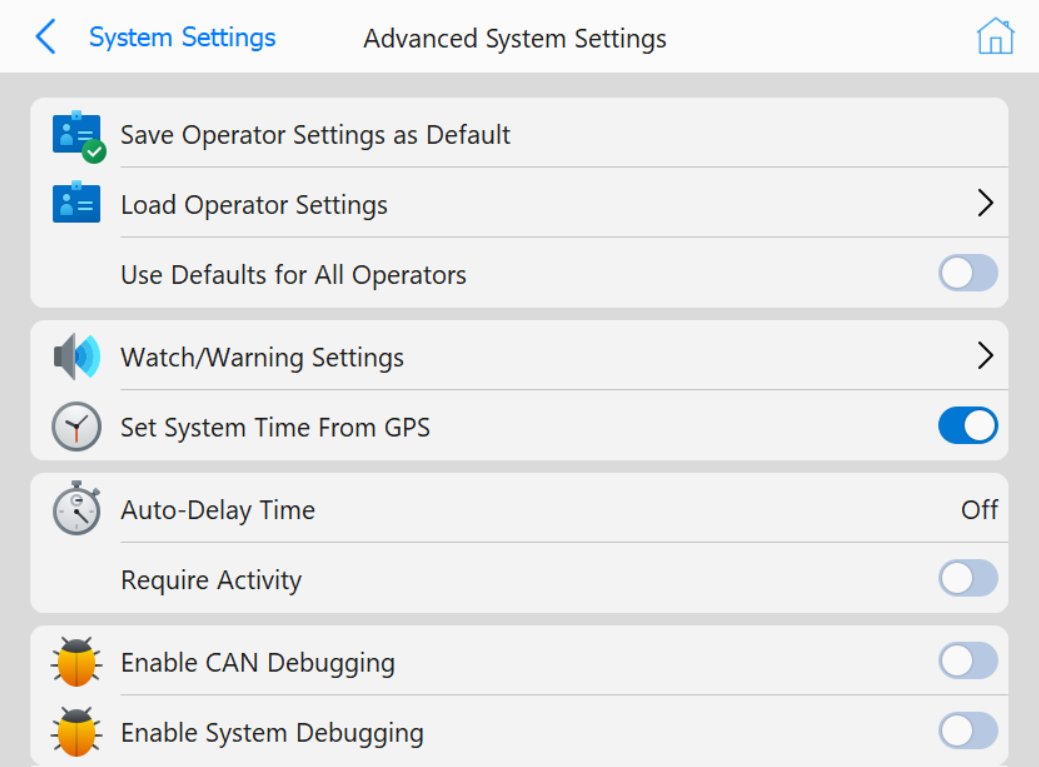 Advanced System Settings Page
This menu describes settings for Grade that will not be changed often
Buttons
- Save Operator Settings as Default:
Prompts if the user wants to save the current operator settings to a configuration file
- Load Operator Settings: Opens a file explorer menu to select a file to load
- Use Defaults for All Operators: If enabled, the defaults are used for all
operators that use this machine
- Watch/Warning Settings: Opens the below page to enable when
tones should be played
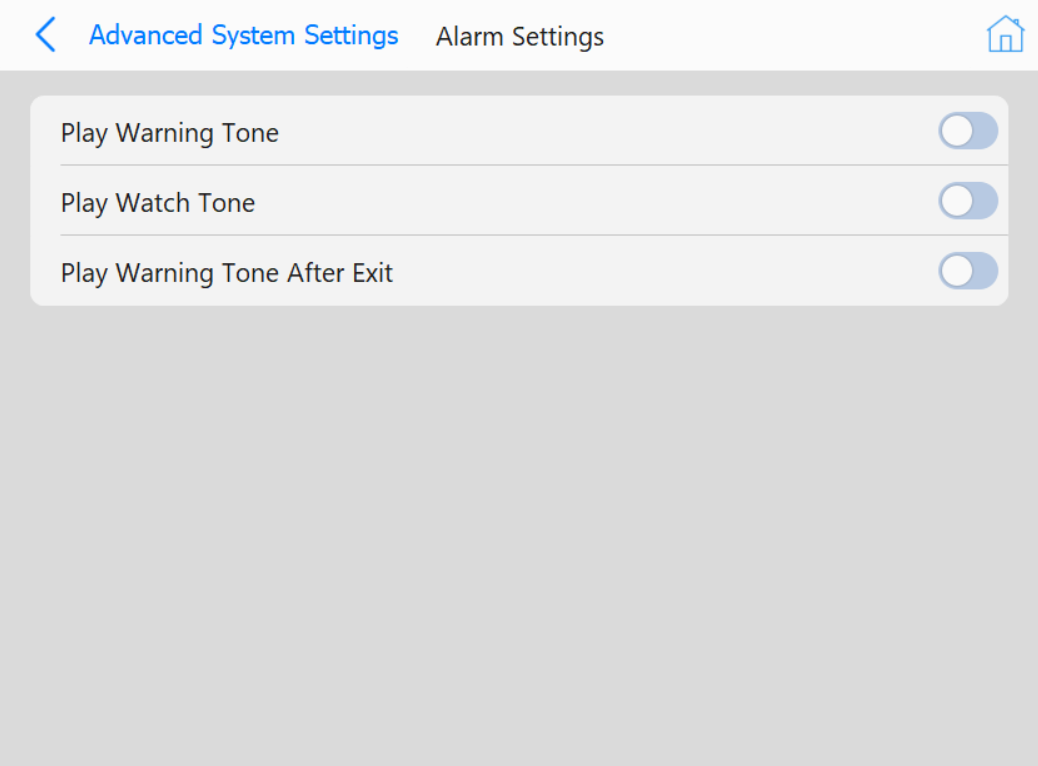 Alarm Settings
- Set System Time From GPS: If enabled, the time will be used from the
attached GPS
- Auto-Delay Time: Opens a numpad to set a time to determine idleness
- Require Activity: Requires Activity to be entered before when changing projects
- Enable CAN Debugging: If enabled, CAN debug information will be saved to a file
in the diagnostic folder
- Enable System Debugging: If enabled, system debug information will be saved to a
file in the diagnostic folder
- Use Keyboard Navigation: Allows for keyboard navigation through menus