Appendix A - Simulation Keys
Keyboard entries for use in Simulation Mode of the Pile Driver can be useful for testing, learning, and demonstrating the product.
These keys affect the GPS simulation:
GPS Simulation Keys
| CTRL+F8 | Stop position update. |
| CTRL+F9 | Autonomous mode. |
| CTRL+F10 | Float Mode. |
| CTRL+F11 | Undefined. |
| CTRL+F12 | Normal operation. |
These keys affect the pile driver:
Pile Driver Simulation Keys
| Left Arrow | Turn left. |
| Right Arrow | Turn right. |
| Up Arrow | Raise elevation. |
| Down Arrow | Lower elevation. |
| F | Faster. |
| S | Slower. |
| R | Reverse. |
| T | Reset simulation. |
| Q | Toggle freeze. |
| Z | Toggle automatic. |
| Page Up | Pitch up (mast slope). |
| Page Down | Pitch down (mast slope). |
| Insert | Slope left (mast slope). |
| Delete | Slope right (mast slope). |
| + | Increase laser distance (or to stop a decrease). |
| - | Decrease laser distance (or to stop an increase). |
| * | Stop the hammer. |
| , | Start auto-plumb. |
| . | Stop auto-plumb. |
Appendix B - Hardware
Computer Data: Carlson Control Box
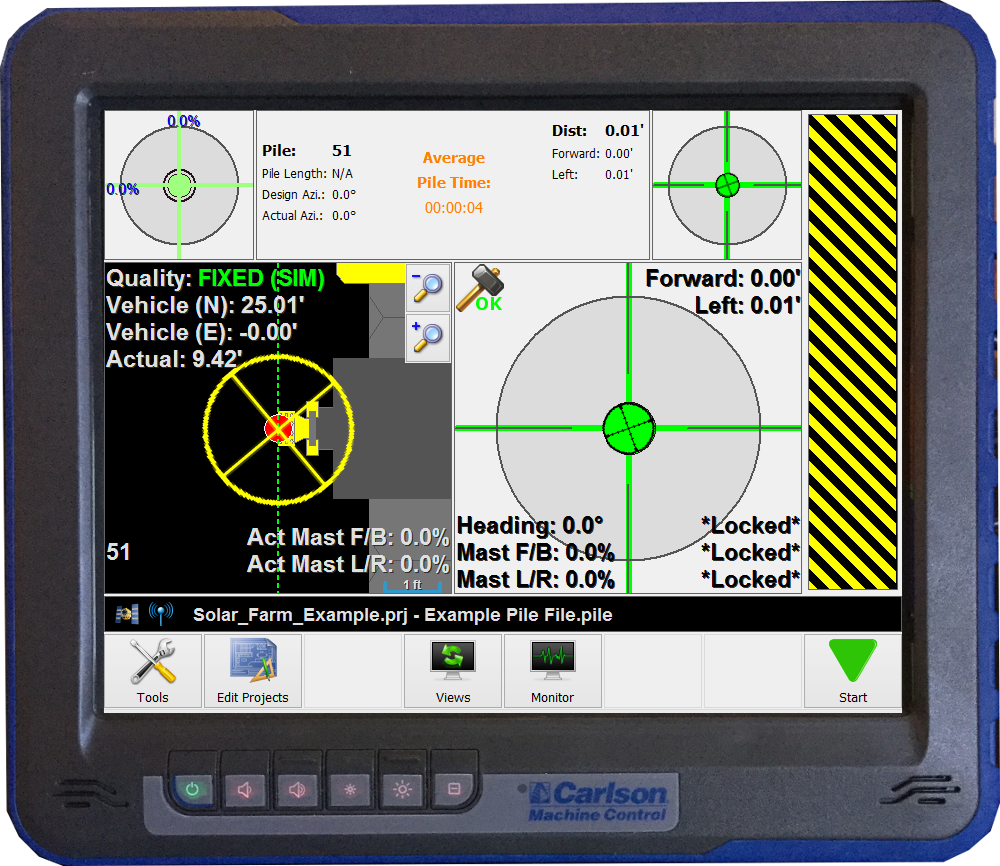 Control Box
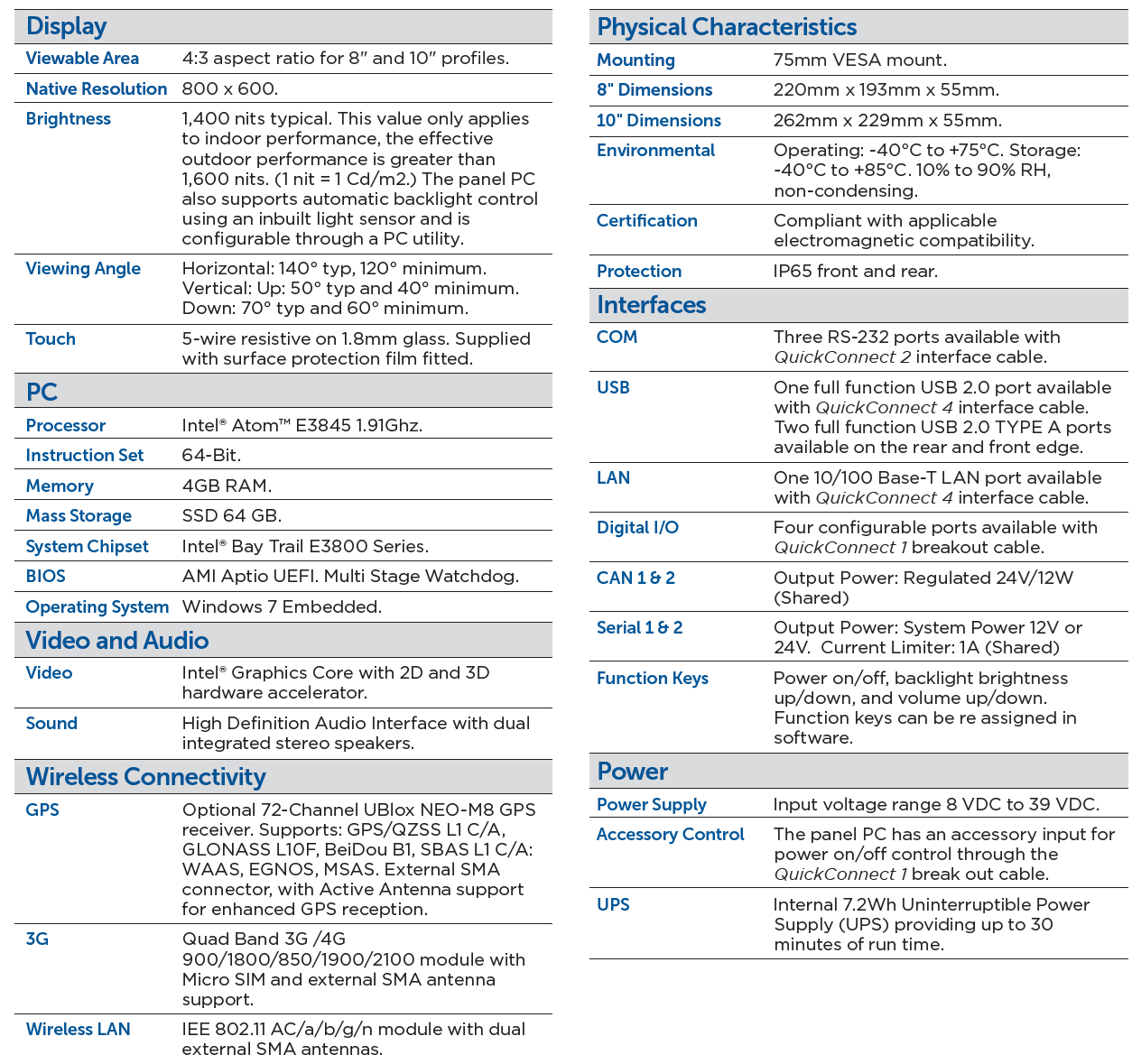 Computer Hardware Specifications
Appendix D - Online Resources