Once the system is initiated, the operator can begin work immediately with minimal setup.
Operator Login (Optional)
If Allow operator login is enabled during installation, the system will prompt the operator to enter their unique ID upon startup. This feature enables tracking and reporting of individual operator productivity.
Note: Operator credentials are managed through Carlson Command.
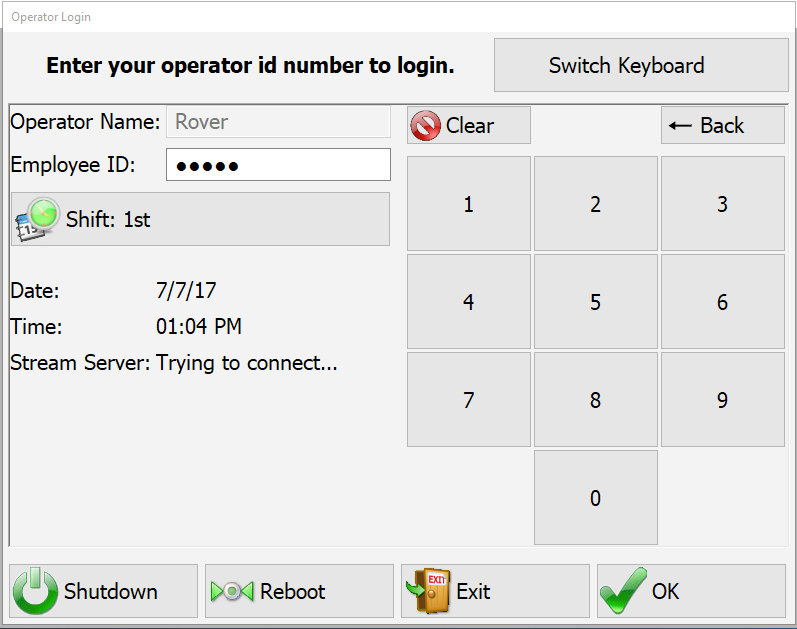
The login process requires the operator to enter an ID using one of the following methods:
- Numeric Input: Directly enter the assigned ID number.
- Alpha-Numeric Input: Select Switch Keyboard to access an on-screen keyboard supporting both letters and numbers.
From the login screen, the operator has access to the following system controls:
- Login: Authenticate and proceed to system operation.
- Exit Program: Close PD Grade and return to the system interface.
- Reboot Control Box: Restart the control system.
- Shutdown Control Box: Power down the control unit safely.
Starting and Exiting PD Grade
Based on the capabilities of your equipment configuration, PD Grade and be started and exited one of two ways:
- Automatic Startup and Shutdown: (also known as a Machine-Integrated System) When PD Grade is installed on a machine equipped with Carlson Machine Control hardware and connected to the machine's ignition power, the system operates as follows:
- Startup: The control box automatically powers on and launches PD Grade when the machine is started.
- Shutdown: PD Grade automatically closes, and the control box powers down when the machine is turned off.
- Manual Operation: (common for Windows PC Installations) For installations on a Windows PC, PD Grade can be started and exited manually and can optionally shut-down the control box/PC. To begin:
- Click Tools in the main menu.
- Then select either:
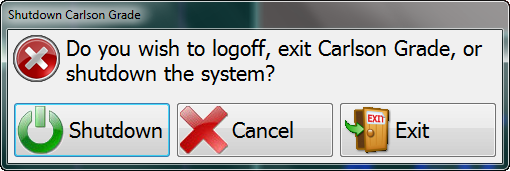
Manual Exit or Shutdown - Shutdown to safely power down the control box.
- Exit to close PD Grade and return to Windows.
Note: PD Grade is designed for seamless operation within Carlson Machine Control, minimizing the need to exit the software. Essential functions, including data file downloads, can be performed within the application, ensuring uninterrupted workflow.
Initial PD Grade Startup
Note: PD Grade recalls the previous work configuration.
Selecting a Pile Pattern or Folder
Upon startup, PD Grade presents a menu with the following options:
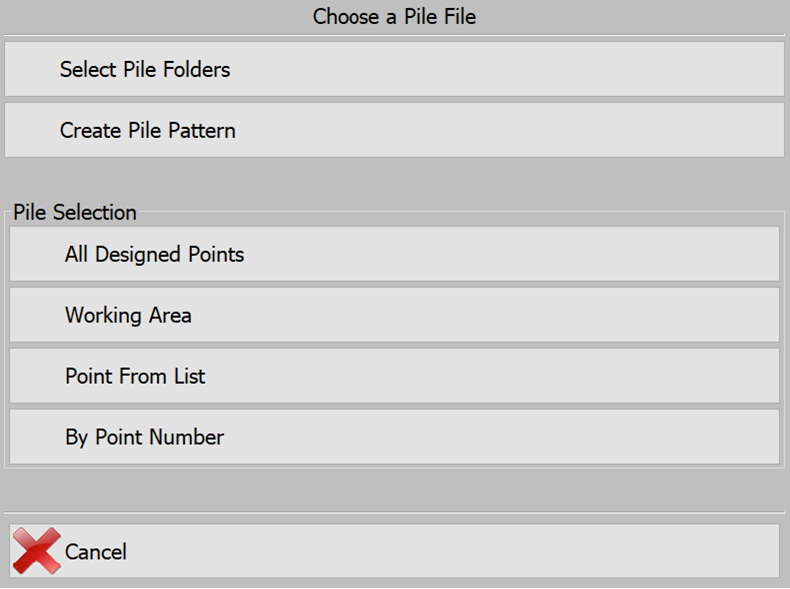
- Select a Folder: Choose an existing pile pattern or group of piles.
- Create a New Pattern: Generate a new pile layout to be added to the project.
Note: To bypass pattern selection and proceed directly to the main interface, press Cancel.
Note: This selection menu can be accessed at any time via Tools → Pile File Manager → Select Navigation.
Minimum Requirements
To operate PD Grade, the following files are required:
- Localization File: Defines the project's coordinate system and positioning data.
- Pile Pattern: Specifies the arrangement and placement of piles.
Note: If these files are not detected when launching PD Grade for the first time, the system will prompt the user to select a pile folder or create a new pile pattern.