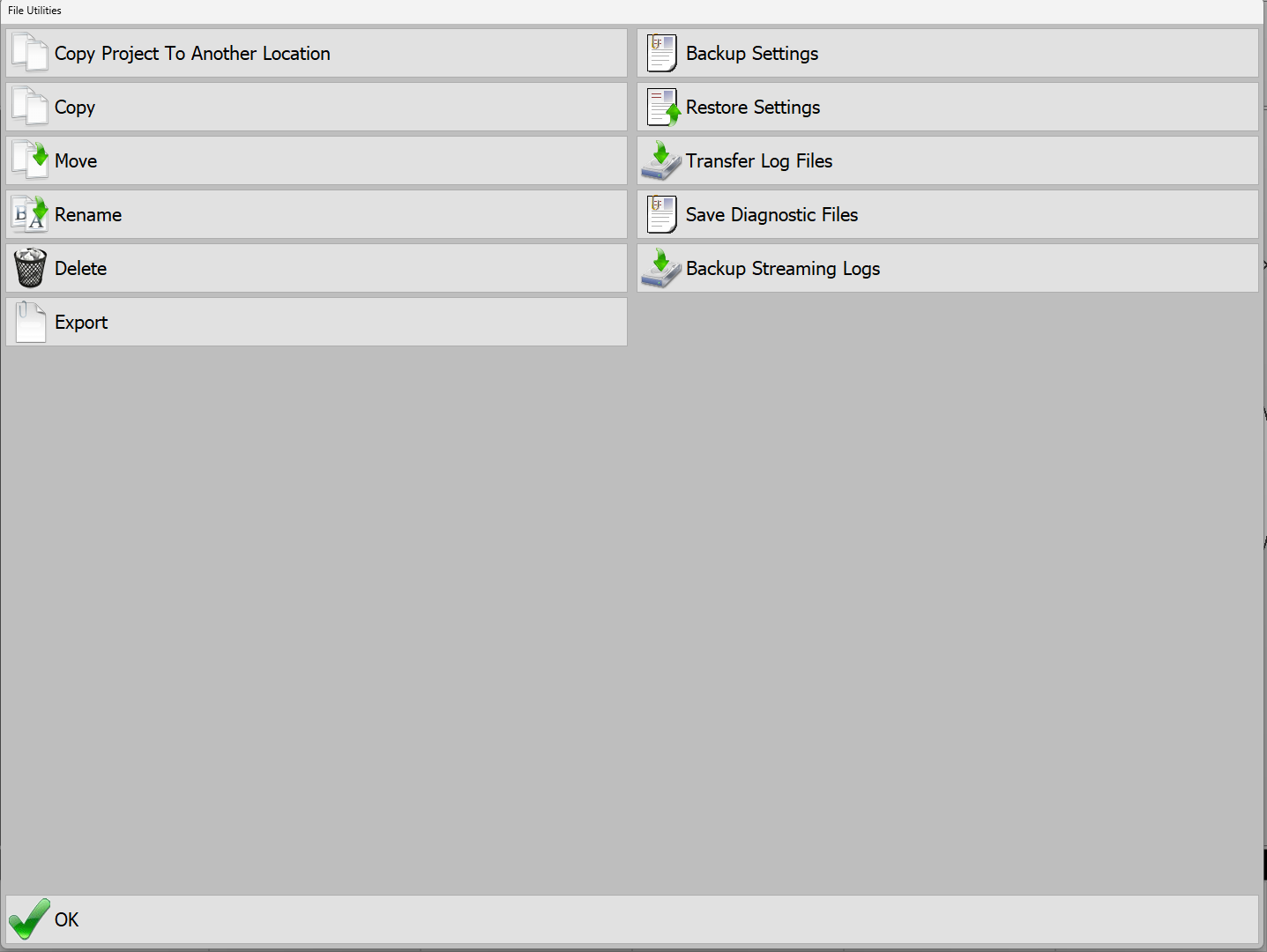
Change Project: This menu allows for the quick change of projects when the operator is entering a new location or a new task. This button is the same as the button located under Configure Projects inside of Advanced Tools.
Copy Project To Another Location: Select a project (.prj) from the Data directory and save it to another location. Save the project to a USB thumb drive by changing the drive at the top.
Copy: Select a single file (a project is a collection of files) and save it in another location. Save a file to a USB thumb drive by changing the drive at the top.
Move: Select a file and move it to another directory.
Rename: Select a file and rename it.
Delete: Choose a file to delete.
Export: Exports the current project files as Topcon files (LN3,TN3,GC3), or the existing grid to .XYZ.
Backup Settings: Choose which settings need to be backed up. PD Grade will copy the relevant configuration files and save a .zip file to C:\Data\Backups. Options available to backup are:
Current Operator Settings
Default Operator Settings
All Operators' Settings
User Projections
Current Vehicle Settings
All Vehicle Backups
System Options
Current GPS Settings
Restore Settings: Allows you to restore settings from previously created backup files. After selecting the backup .zip file you wish to restore from you will be prompted to select which groups of options to restore.
Transfer Log Files: This option will transfer the position log files to another directory and/or USB thumb drive. This is useful for transferring data to Carlson Command if a network connection is not available.
Save Diagnostics Files: Saves a diagnostic file useful for the Carlson development team for troubleshooting issues. This file will be saved to [data path]\Diagnostic\diag_[ID]_[YYYY_MM_DD].zip.