This screen shows information pertaining to vehicle position, GPS status, sensors, and telematics information.
GPS
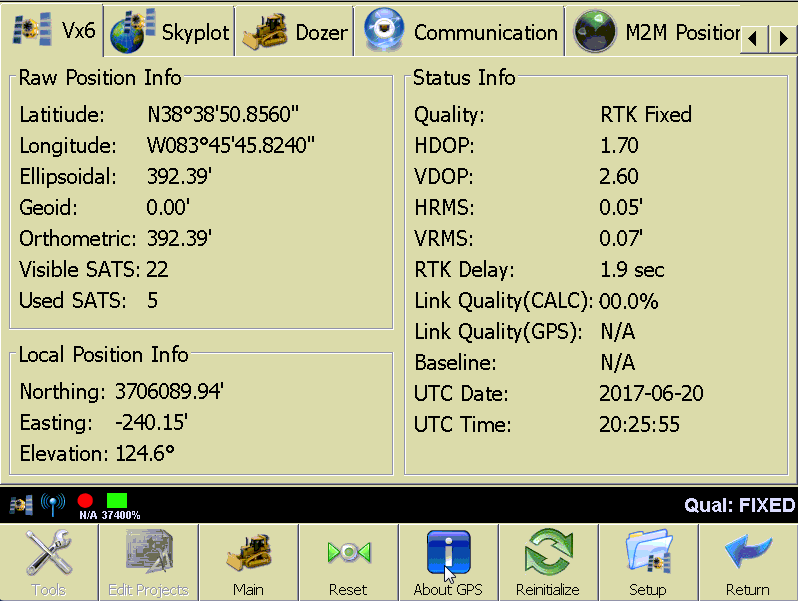
The GPS tab will have the name of the driver loaded on the tab. It contains all of the information, raw and converted by the driver, provided by the GPS receiver.
Raw Position Info
- Latitude Longitude: Raw horizontal position.
- Ellipsoidal: Ellipsoidal elevation.
- Geoid: Geoid separation distance.
- Orthometric: Orthometric elevation.
- Visible SATS: Total number of satellites visible in the sky.
- Used SATS: Total number of satellites being used in the computed position.
Local Position Info
- Northing/Easting: Calculated local horizontal position.
- Elevation: Calculated local elevation.
Status Info
- Quality: Describes the precision of the position information
- RTK FIXED: RTK corrections being received and satellites combine to provide 1 cm accuracy. This state is critical for most operations.
- RTK Float: RTK corrections being received, but a fixed solution has not yet been reached.
- DGPS, Differential float, WAAS, etc: No RTK, however a wide area correction is available which will improve the accuracy of the position.
- Stand Alone: No corrections.
- HDOP: Horizontal dilution of precision.
- VDOP: Vertical dilution of precision.
- HRMS: Horizontal root mean square, a measurement of position accuracy.
- VRMS: Vertical Horizontal root mean square, a measurement of position accuracy.
- RTK Delay: Time in seconds since the last RTK message was received.
- Link Quality (CALC): A calculation of how strong the link between the source of corrections is to the receiver. This will be calculated by PD Grade only if it is not provided by the receiver.
- Link Quality (GPS): A calculation of how strong the link between the source of corrections is to the receiver. This comes from the receiver.
- Baseline: Distance from the base station and the rover.
- UTC Date: Date provided by the receiver in UTC (Universal Time Coordinated).
- UTC Time: Time provided by the receiver in UTC.
Skyplot
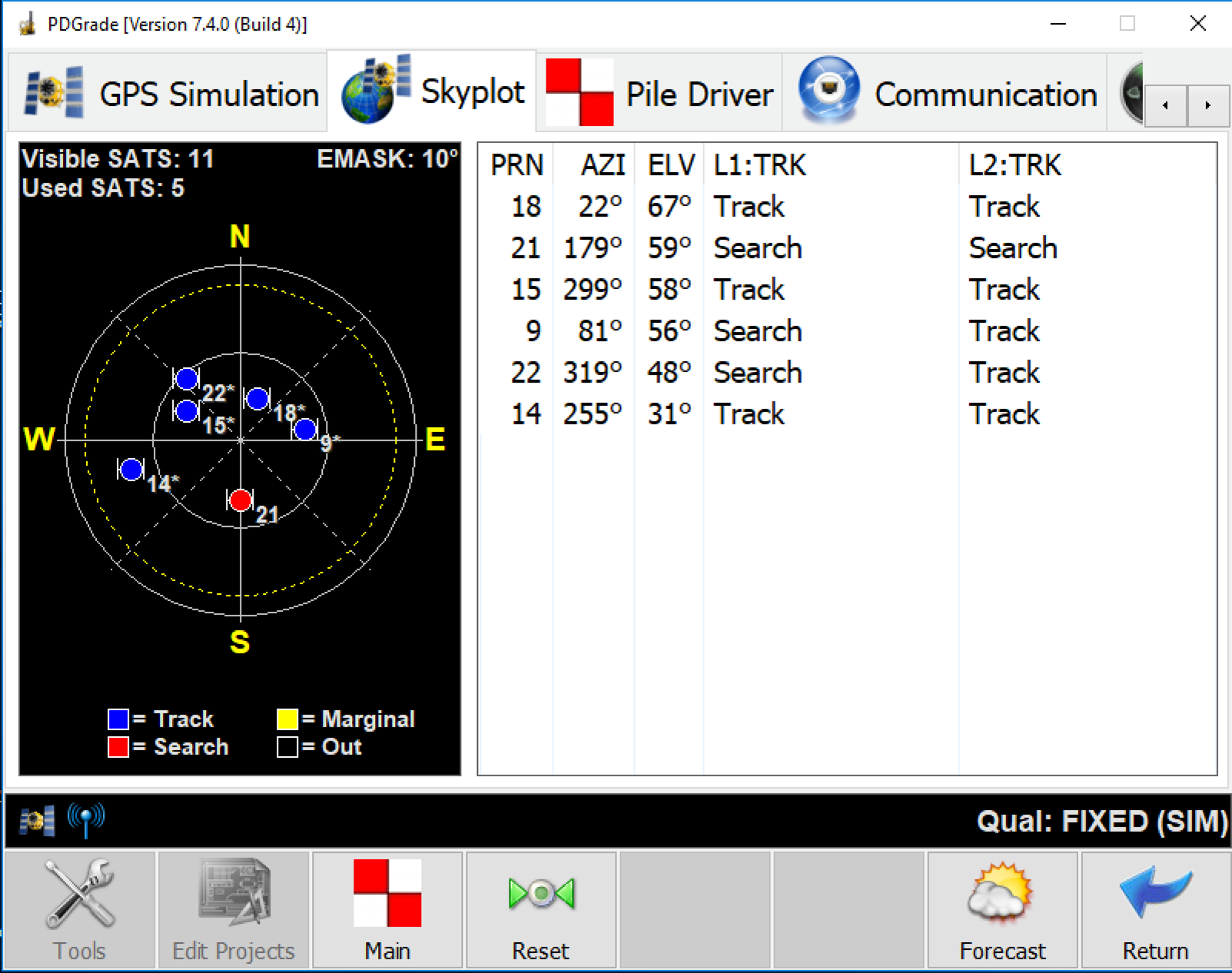
Under the Skyplot tab, the spatial orientation of the satellite constellation is shown.
- Visible SATS: Total number of satellites visible in the sky.
- Used SATS: Total number of satellites being used in the computed position.
- EMASK: Elevation mask is the cut off line on the horizon where a satellite will no longer be used.
- PRN: The satellite reference number.
- AZI: The satellite azimuth.
- ELV: Elevation from the horizon.
- L1/L2 TRK: IF the satellite is being tracked in both L1 and L2 bands.
- Forecast: Pulls satellite forecast almanac data.
Vehicle
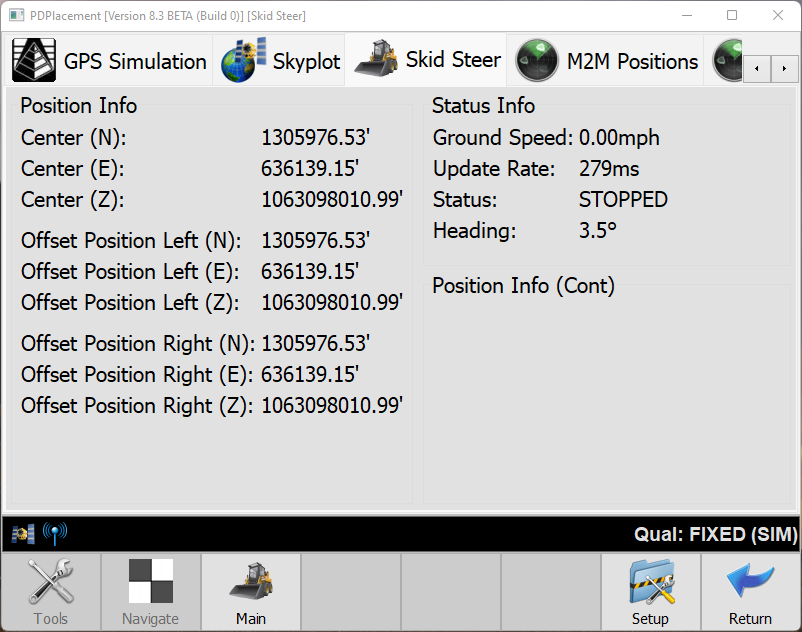
This page shows vehicle information such as speed, heading, and slope sensor values.
Position Info
- Center (N,E,Z): Local Coordinates of the machine.
Status Info
- Ground Speed: Speed of movement calculated from GPS position.
- Update Rate: Position update.
- Status: Stopped or Moving.
- Heading: The direction of travel calculated from the GPS.
Communication

Streaming Status
The Streaming Status gives you information about PD Pile Grade's connection to Carlson Command.
- Session: How long the connection to Command has been active.
- Messages Sent: How many total messages this session have been sent to command.
- Messages failed: How many of the messages sent have failed.
- Avg. speed: Milliseconds per Message.
- Ave. pace: Messages per Millisecond.
Agent Status
Command Cloud connected machines should show PD Agent: Connected. If not, troubleshoot the OVPN connection.
M2M Positions tab
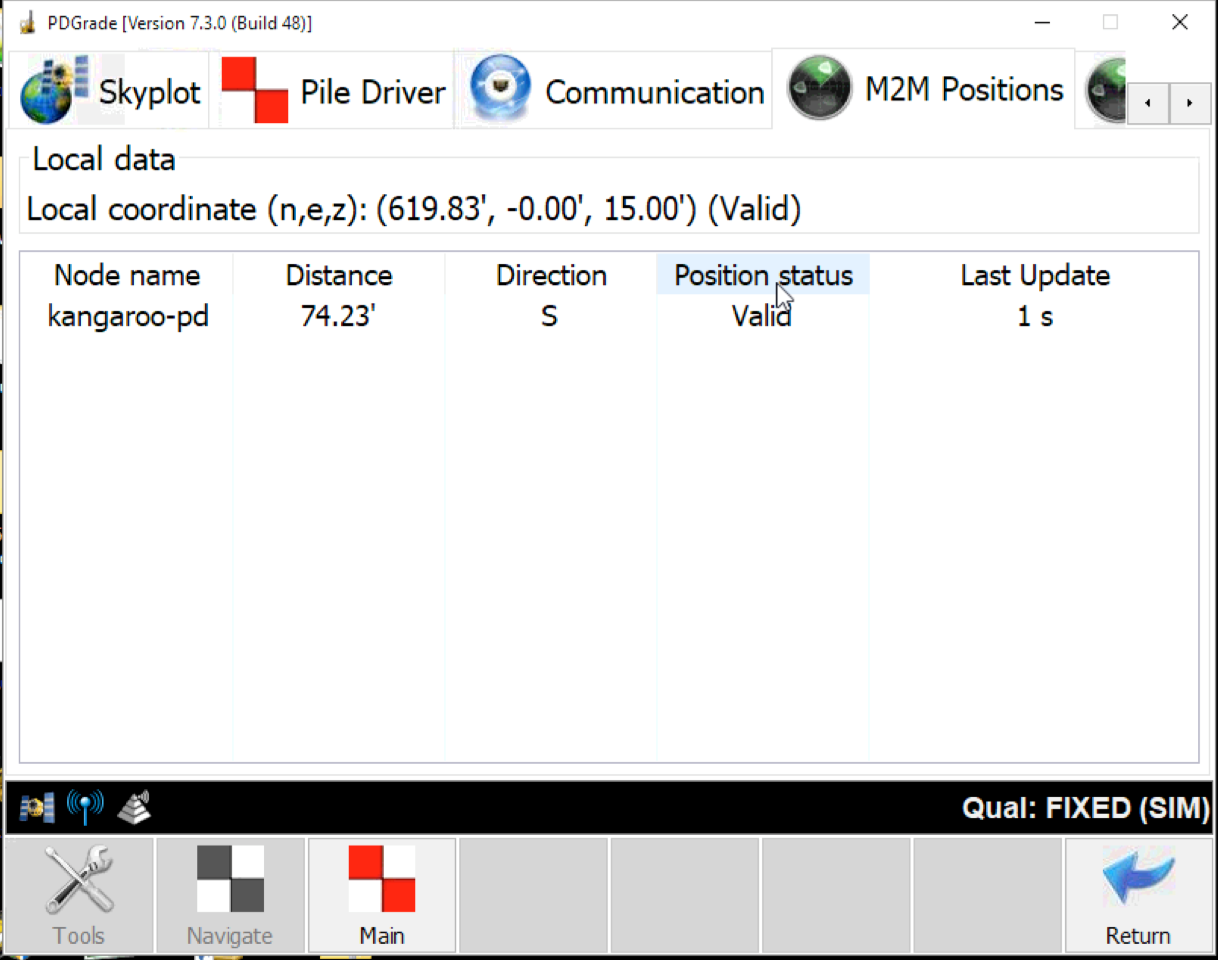
M2M Positions provides information about the position sharing between two machines. When enabled, this feature allows the machines to communicate their position directly to another machine or machines.
Local Data: This section shows the position your machine is sharing and if it is valid. This is useful for troubleshooting when looking at another machine's M2M Position tab.
- Node name: The name of another machine sharing positions with your machine.
- Distance: The distance away that machine is from your machine.
- Direction: The direction this machine is moving.
- Position Status: This is determined by the other machine's GPS quality. A fixed solution is valid, and any other quality is considered invalid.
- Last Update: the last time this machine sent a position to your machine. Machines will share their positions more often the closer they are to each other.
M2M Network Nodes
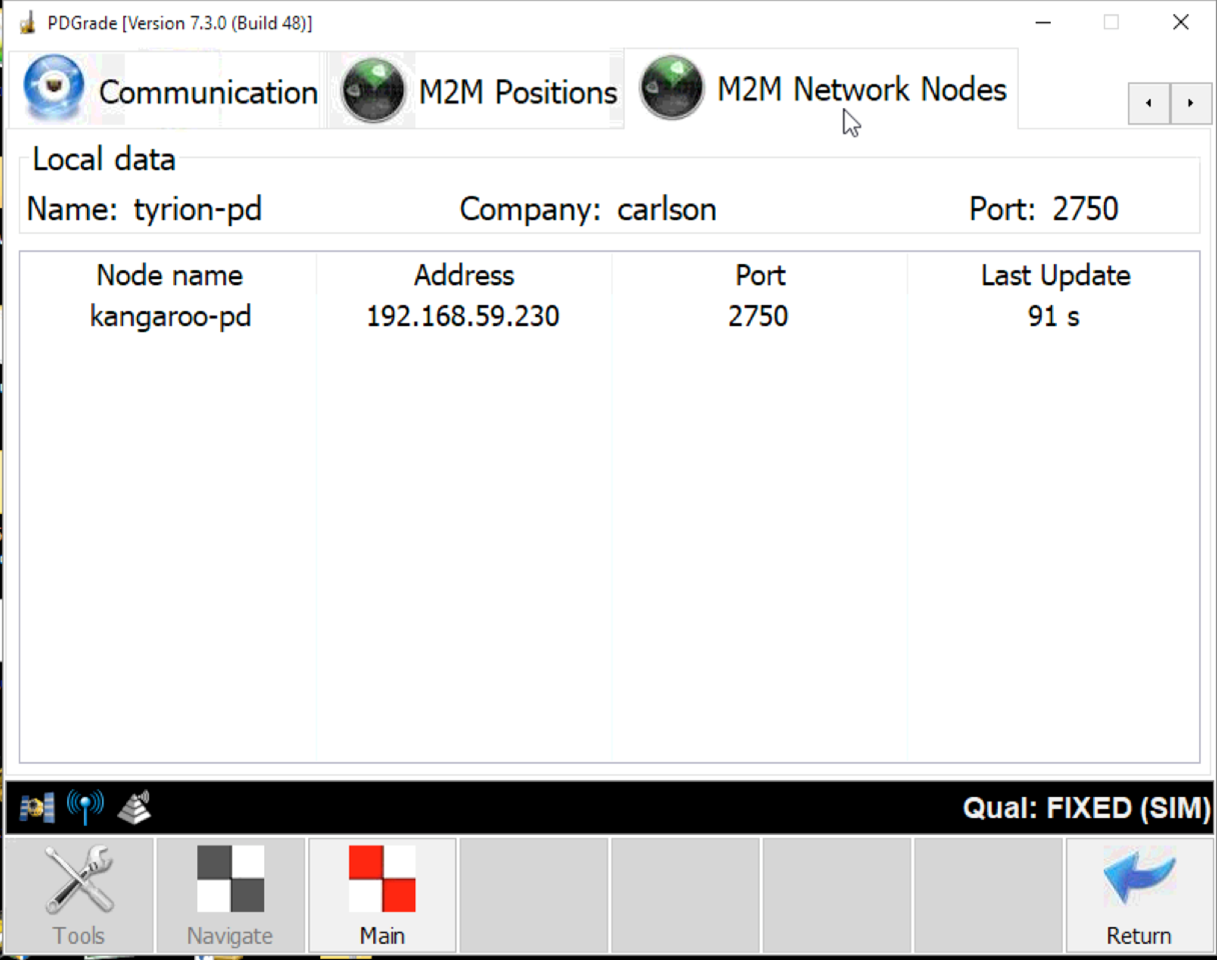
M2M Network Nodes shows all of the machines connected to your machine.
Local Data
- Name: The name of your machine on the network.
- Company: The company set for your network.
- Port: the port your machine is accepting data on for M2M info.
Table info
- Node name: The name of the machine on the network.
- Address: The IP address of the machine on the network.
- Last Update: the last time this machine sent a message to your machine.