PD Placement stores all designed, placed, and as-built piles within a unified system, whether they are created within the software or imported from a .JPLZ file or other design formats. These piles are organized in a folder structure, allowing for efficient management and sharing.
Piles can be shared between multiple machines for coordinated operations.
Integration with Carlson Command enables advanced reporting and pile design modifications.
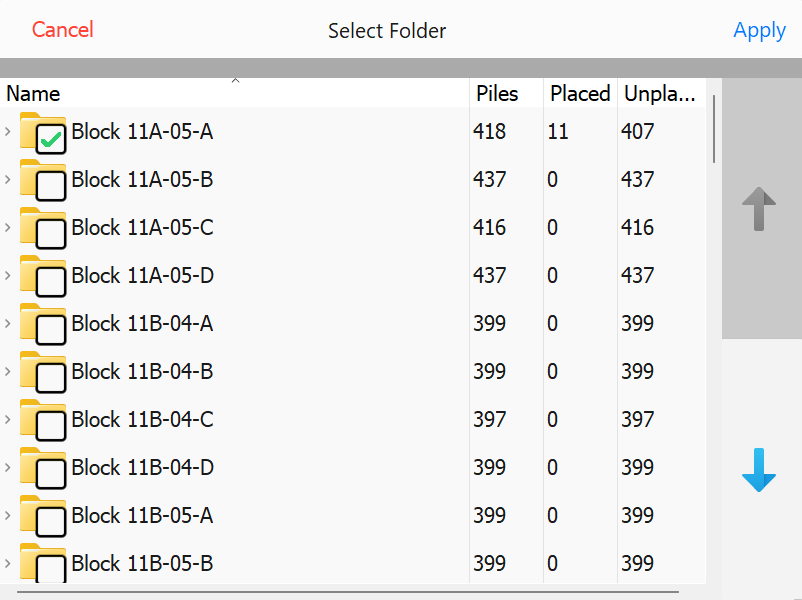
Selecting Pile Groups (Folders)
To select a group of piles, toggle the checkbox next to the corresponding Folder.
Selecting a parent Folder will automatically select all child Folders within it.
Select Pile Groups (Folders)
Each Folder in PD Placement provides key details about the pile group, including:
Total Piles: The total number of piles within the folder.
Placed Piles: The number of piles that have already been placed.
Unplaced Piles: The number of piles yet to be placed.
Selecting a Folder
Choose the appropriate folder(s) for the current working session.