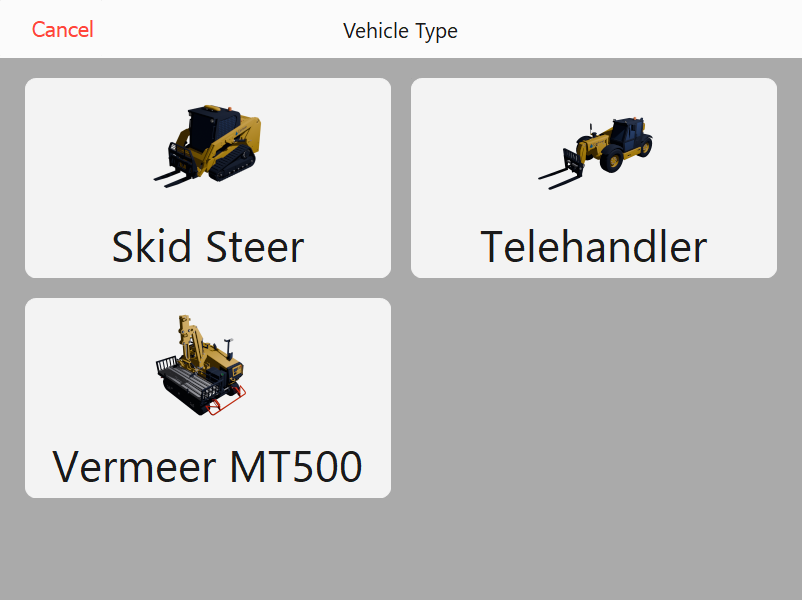
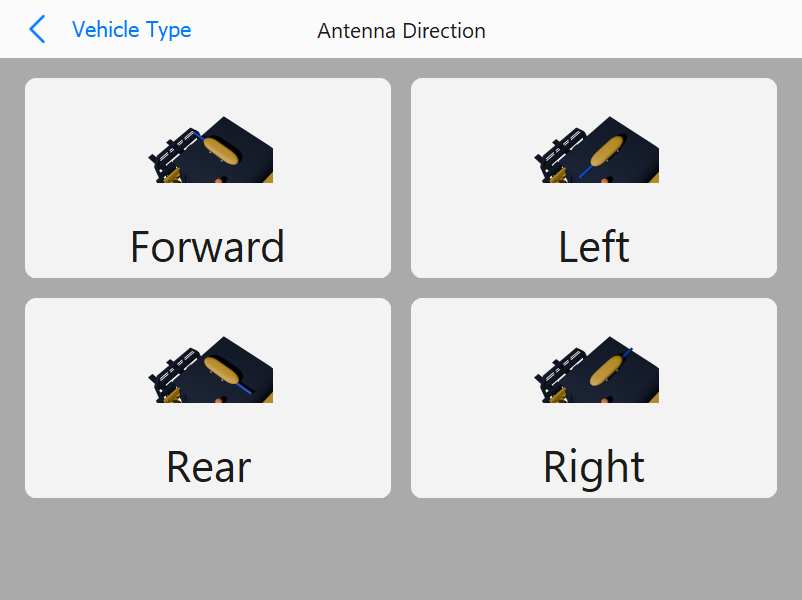
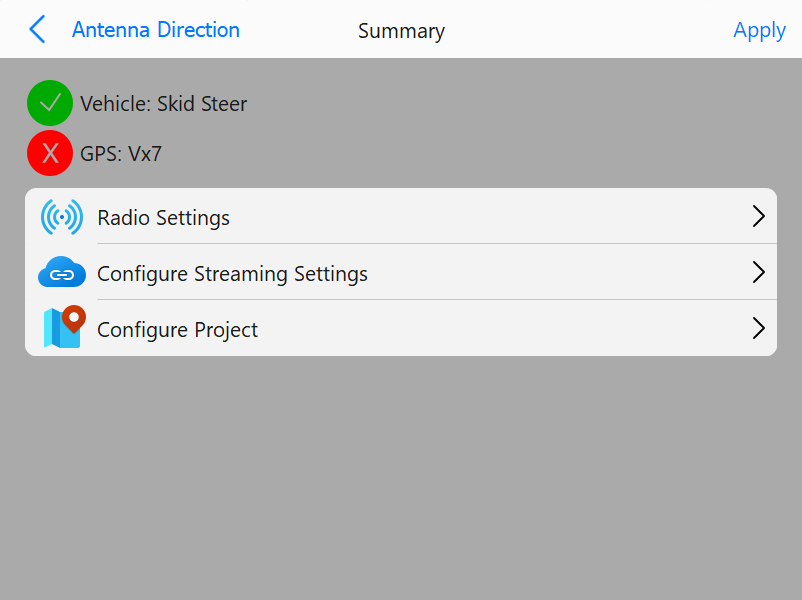
The Initial Setup Wizard will step you through setting up all settings. Vehicle and rover configuration will be handled and default settings will be applied.
Vehicle Selection Page
Vehicle Type: Select which vehicle will be used for PD Placement:
Skid Steer
Telehandler
Vermeer MT500
Antenna Direction Page
Antenna Direction: Select the orientation of the antenna based on where the communication cable is exiting the unit:
Forward
Left
Rear
Right
Note: Selection of antenna direction will automatically apply the correct angular heading offset.
Summary Page
The summary page will show the selections and the current status. Other setup items can be accessed to finalize the setup.
Status symbols will be shown for relevant selections:
Green Check: Connection has been made and communications are OK
Yellow Dash: Connection is in process OR connection has been made but is not in a valid state (ie. autonomous position for GNSS receiver)
Red X: Connection could not be established
Additional Setup Options:
Radio Settings: Set the UHF radio settings
Configure Streaming Settings: Set the streaming settings to establish the connection to Command
Configure Project: Set the current project to set the correct site projection and localization