This page relates to settings that will not be changed often.
Buttons
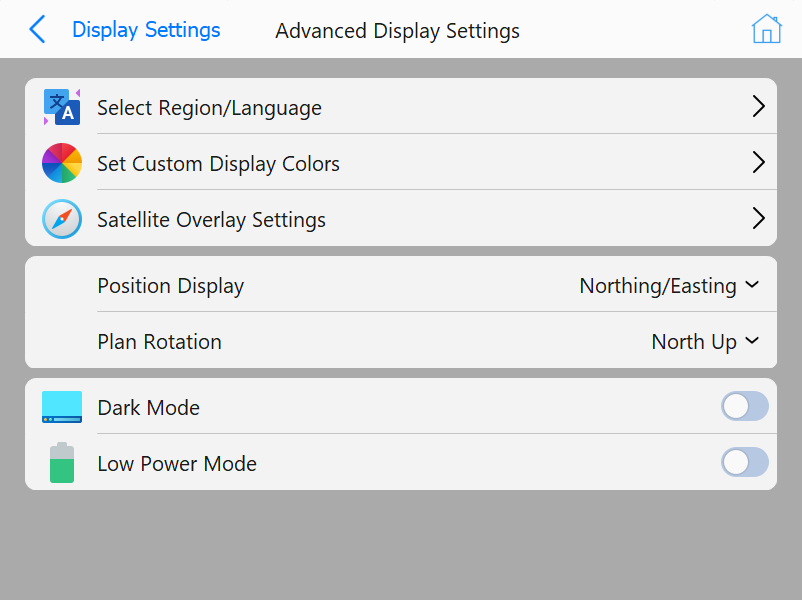
Select Region/Language: Select the language to display in
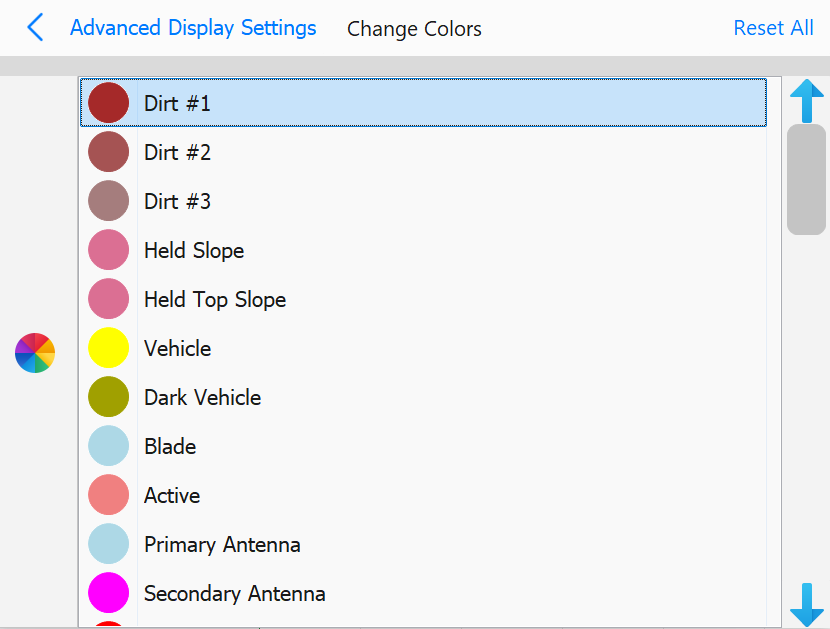
Set Custom Display Colors: Select colors for various aspects
of the scene, including antenna colors, text, and pile colors
Set Custom Display Colors page
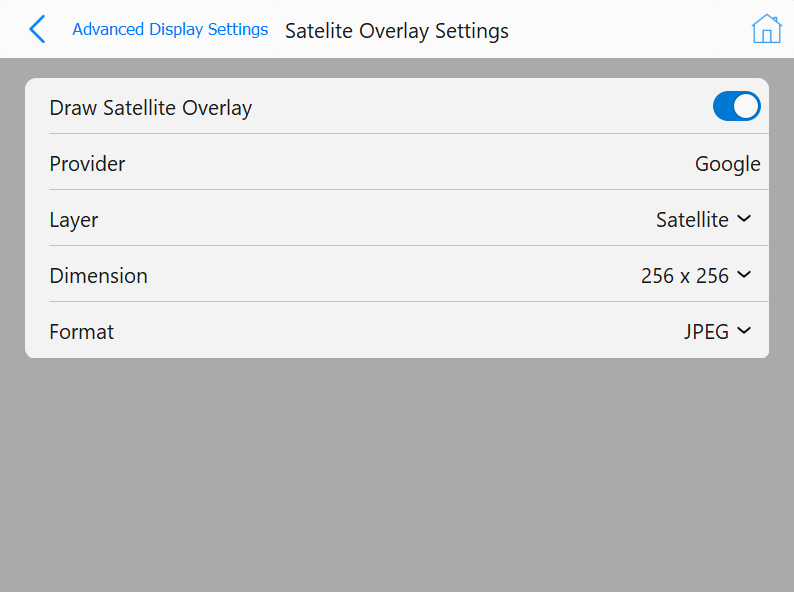
Satellite Overlay Settings: Opens a dialog to enable drawing
a satellite overlay in planview. If enabled, multiple options will be show regarding the overlay image.
Satellite Overlay Settings when Enabled
Position Display: This option will display different options to display X, Y
coordinates
Northing/Easting: Displays position in Northing/Easting order
Easting/Northing: Displays position in Easting/Northing order
Chainage/Offset: Displays position in a Chainage/Offset format
Plan Rotation: This option allows for various planview rotation behavior:
Moving Map: Map rotates relative to vehicle movement
Center Vehicle: Vehicle is always centered
Custom Angle: Define a custom rotation angle for planview
North Up: North is always up
Dark Mode: Enable/Disable dark mode
Low Power Mode: Enable/Disable low power mode (low power mode will slow the refresh rate of the scene)