Main Map Page Layout
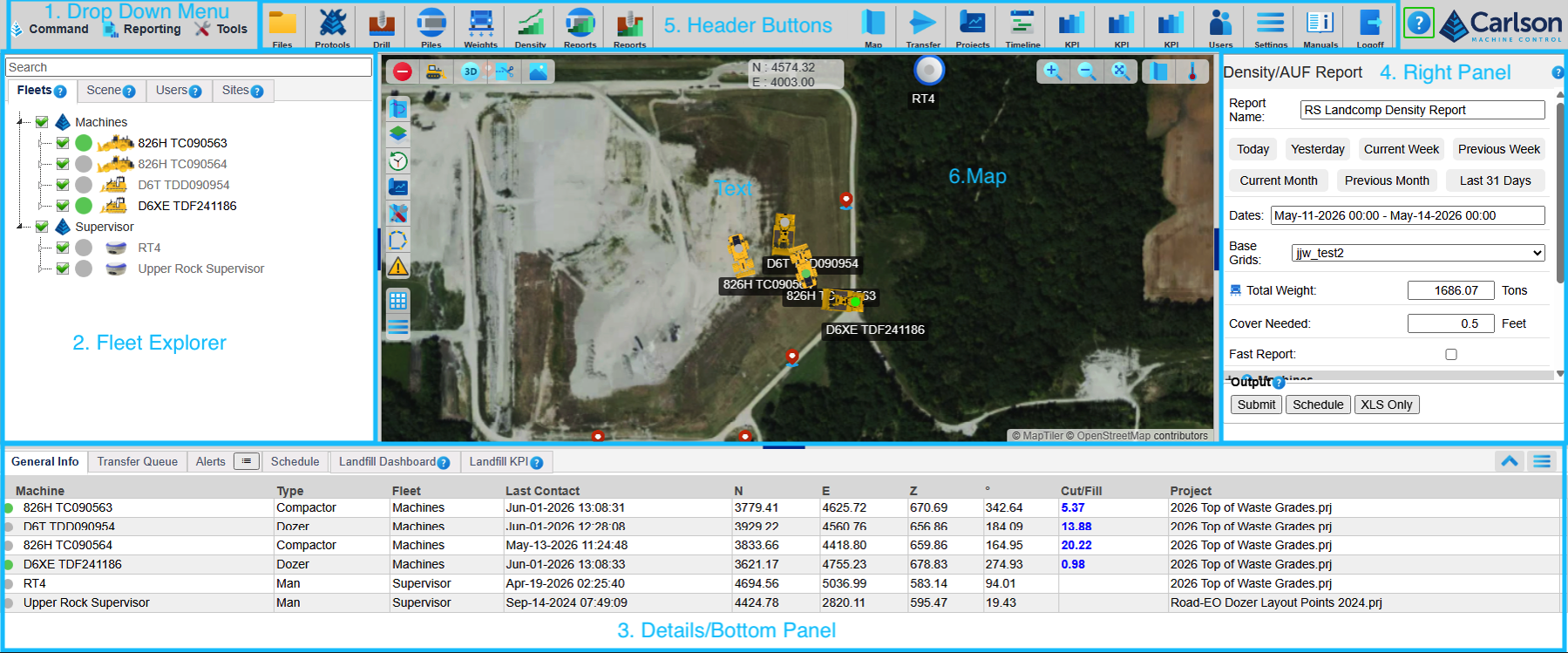
- Drop Down Menu - Links to all pages, reports, and tools in Carlson Command
- Fleet Explorer - Controls for the visible elements of the map
- Details - Details on the information displayed in the map, reports, or other features displayed on the page. New tabs will open as other features are accessed.
- Right Panel - Controls for reports and other features are opened here.
- Header Buttons - Quick links to the pages and features in Command.
- Map - The display for the geographic area of the site.