Grade Manual Points
This report outputs points collected by machines using the "Store Points" feature in Carlson Grade.
Note: Points can be reported by date or per file.
Options
This report lists and displays Carlson Grade store points function files. These files are automatically transmitted in from the Machines.
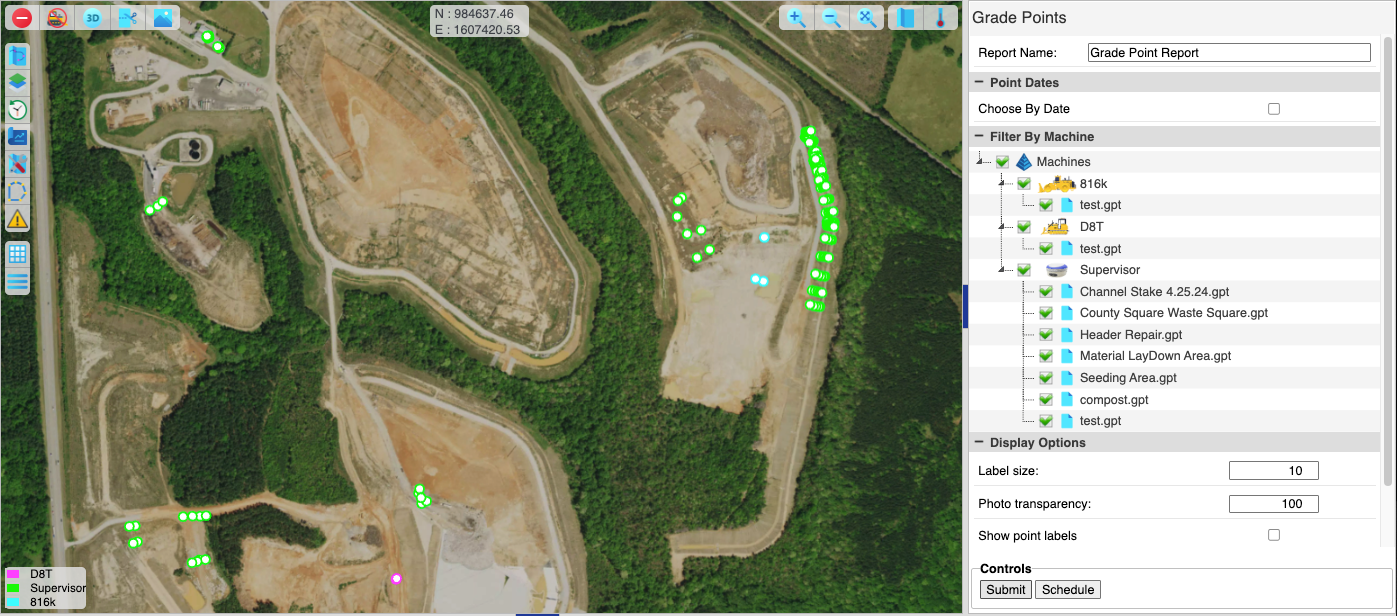
Manual Point Report
Point Dates
To report by date, open "Point Dates" and select dates. Then open "Filter By" and select all points files by selecting each fleet.
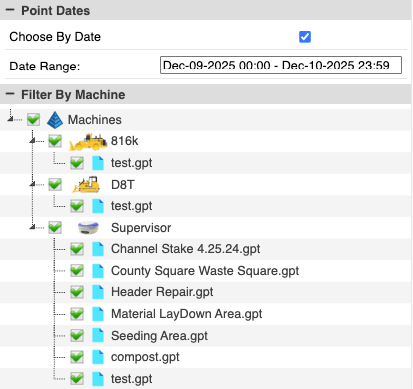
Manual Points by Date
Filter By Machine
Manual Points can also be filtered per machine:
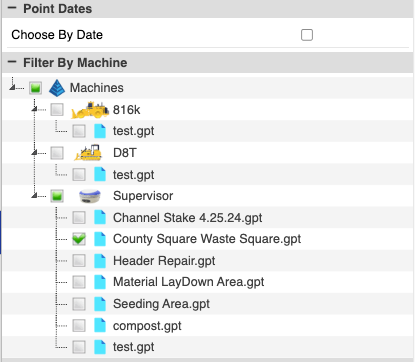
Manual Points by Machine
To run the report per file:
- uncheck the "Choose By Date" option and select only the files to report on.
- Press "Submit" to load the points into the report.
- Press "Schedule" to set up automatically emailed reports.
Display Options
- Label Size: Size of labels for each point. Depends on screen size, so adjust to desired readability.
- Photo Transparency: Adjust the transparency if a fly over image is loaded in the map view.
- Show point labels: Toggle labels for points on/off.
- Show point description: Toggle descriptions for points on/off.
- Map Image: Toggle fly over image on/off.
Output
The selected points are shown in the map view.
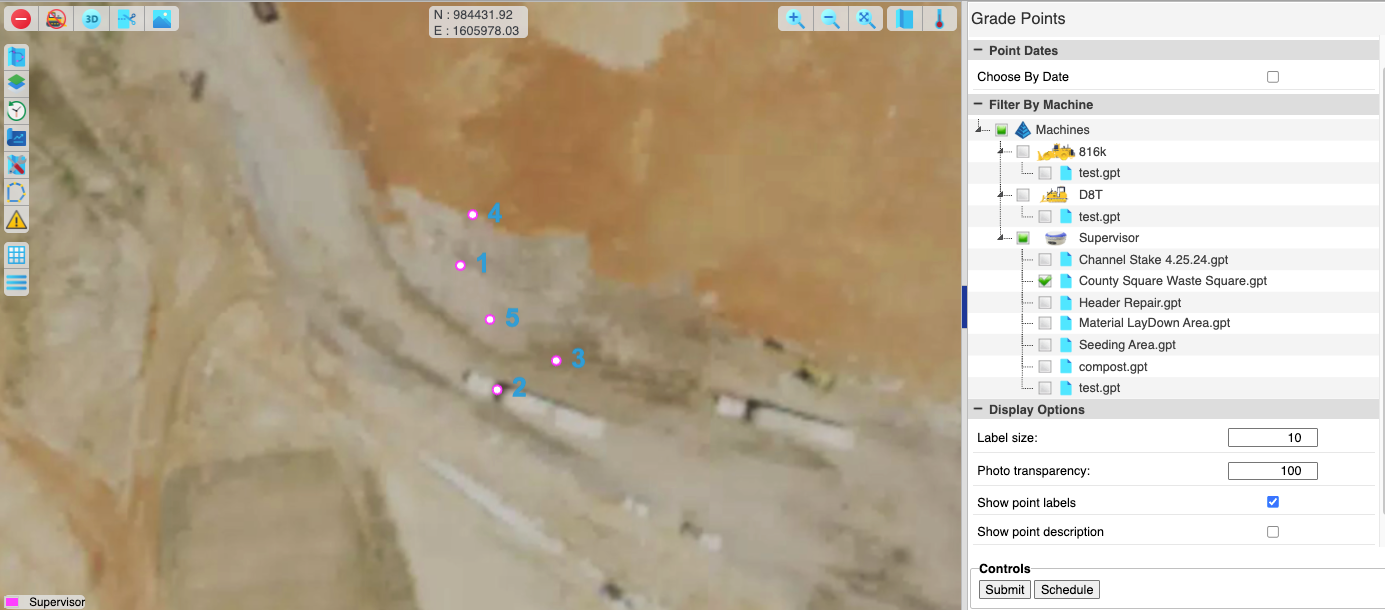
Manual Points (Map)
The selected points are displayed in the Point Reporting tab in the bottom panel.

Manual Points (Report)
The "Point Reporting" tab has two buttons, one for CSV and one for PDF download.

Point Report (CSV)
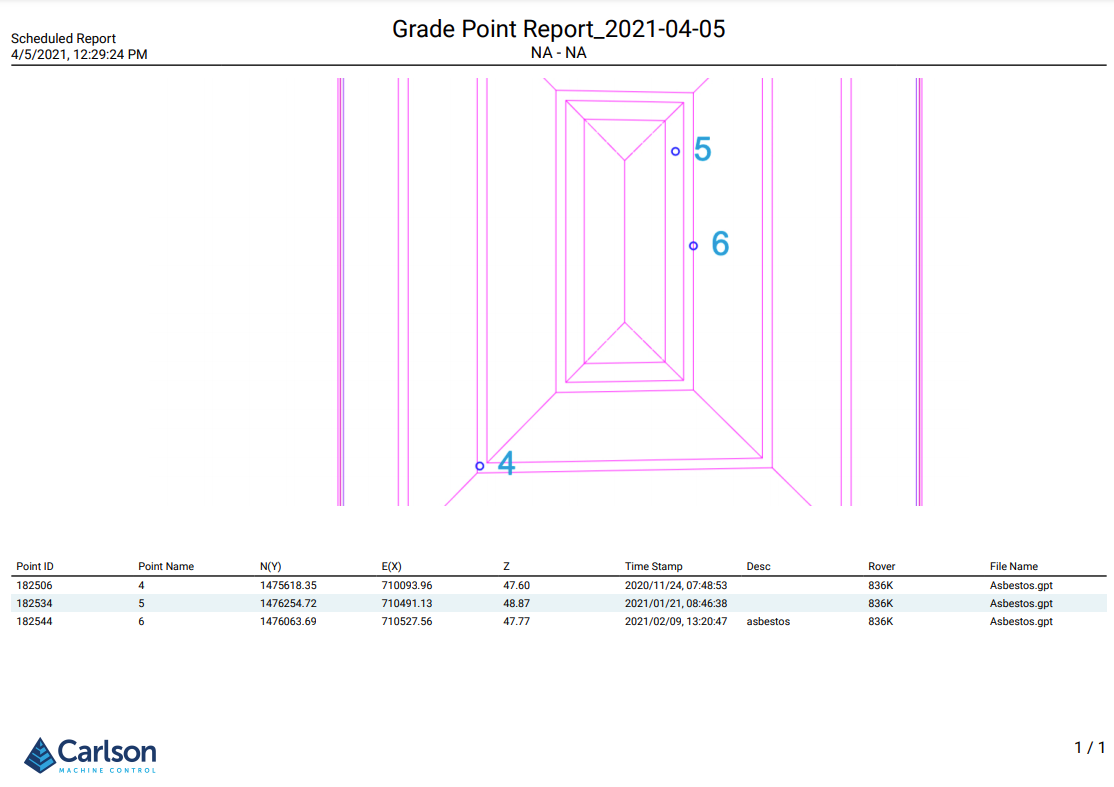
Point Report (PDF)