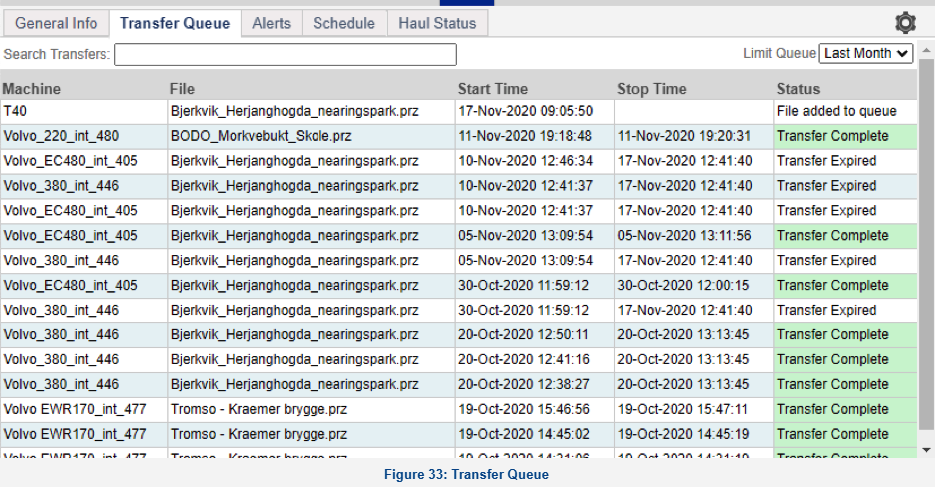
Transfer Queue: The Transfer Queue tab shows a historical log of all file transfers that have been initiated through the File Transfer menu in Command.
Controls
- Search Transfers: Enter a search string and the rows of the table will be limited to rows that contain the search string. Examples might include: "complete", "timed out", "Dozer2" etc.
- Limit Queue: This will limit the number of transfers shown. Options are:
- Last Month (default)
- Last Week
- Last Day
- All
Columns
- Machine: The name of the machine.
- File: The file that was transferred to the rover.
- Start Time: The time the transfer was initiated.
- Stop Time: The time the transfer was completed.
- Status: The status of the file transfer. This will display queued, and completed transfers, or reason for failure.