Warning/Watch
This report outputs occurrences of machines entering warning or watch zones. Entry into a watch or warning zone is marked with a circle icon matching the trace color of the machine that entered the zone.
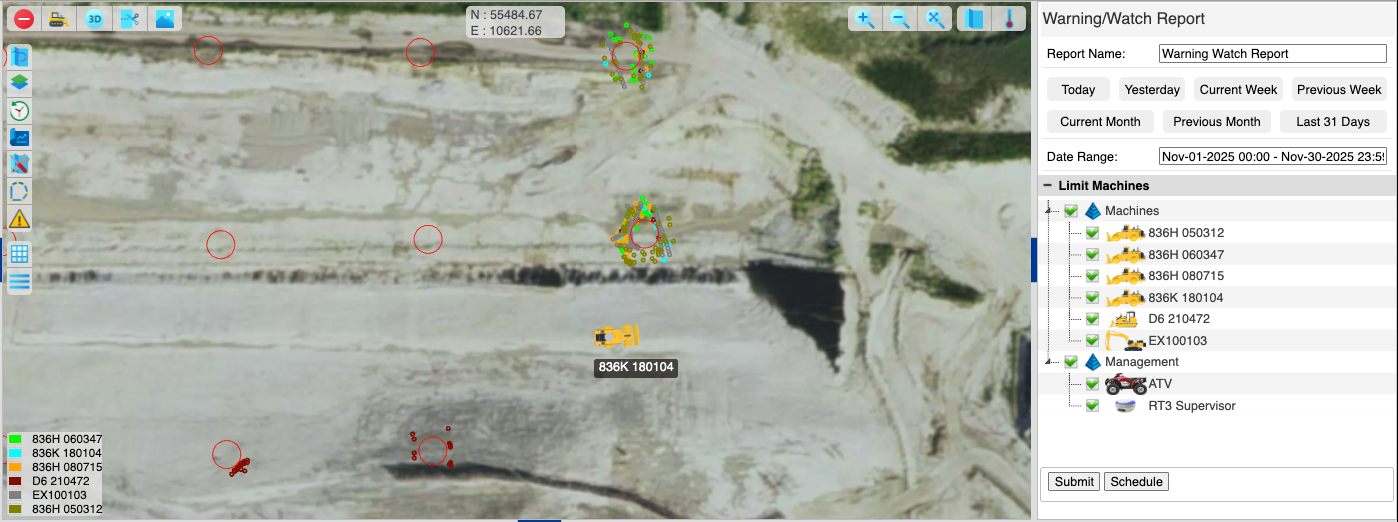
Warning/Watch Report
Options
- Report Name: The title of the downloaded report.
- Date Range: Select the start and end dates for the report.
- Limit Machines: Select machines to include in the report.
Press "Submit" to run the report.
Output
Points where the machines triggered the alert for "Watch" or "Warning" are plotted in the map view. The alert is triggered when any part of the machine crosses the zone. The plotted circles match the trace color setting for the machine.
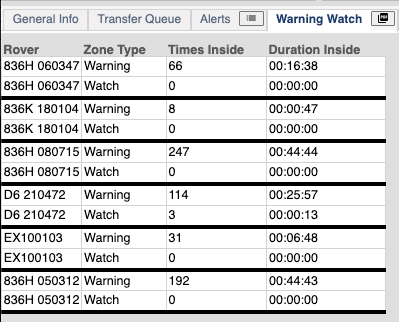
Warning/Watch Report Table
Machine, Zone type, Number of times inside, and Duration inside are displayed in a table in the "Warning Watch" tab in the bottom panel.
Press the PDF button in the tab to download a PDF.
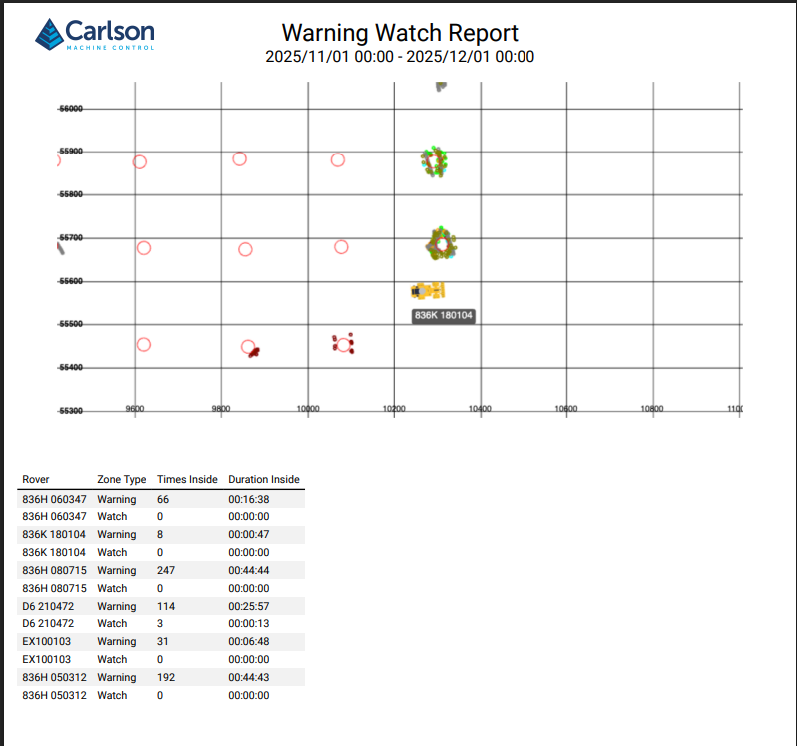
Warning/Watch Report (PDF)