Manage Folders
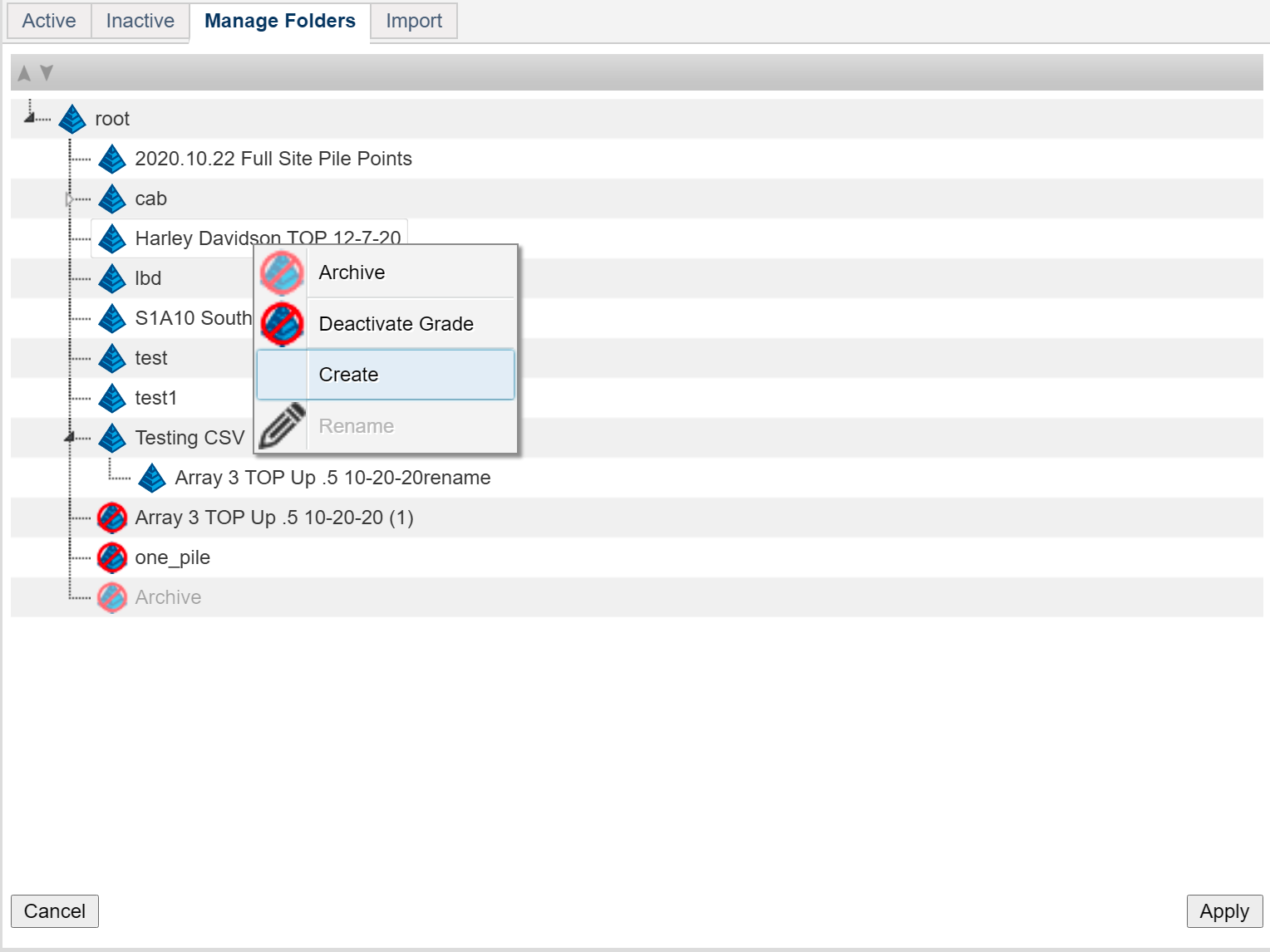
The Manage folders tab contains the controls for manipulating the folder tree for the system. All of the folders, no matter their state (active, inactive or archived), are accessible.
Active folders are at the top, followed by inactive and archived folders at the bottom of the tree.
Right clicking a folder opens a context menu.
Archive archives the folder. Archived folders are indicated by a crossed out and ghosted folder icon.
Deactivate Grade sets the folder inactive. Inactive folders are indicated by a full color crossed out folder Icon
Create makes a new folder inside the clicked folder . Right click the “root” folder to make base level folders.
Rename renames a folder.
Use the Up and Down arrows at the left of the header bar to switch the A-Z sort order of the folders within the states. Folders can be dragged and dropped between folders here.
 Press ‘Apply’ to save changes.
Cancel removes any changes made since the last save.
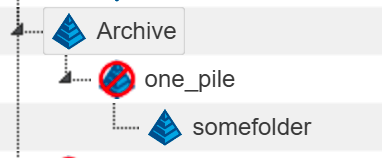
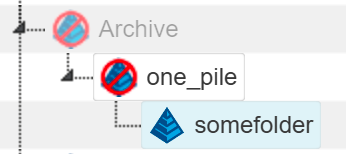
Folders inherit archive or inactive state from their parents, but also preserve state within the parent. In the example below, all of the folders would act as ‘Archived’ because the top level parent is archived. If Archived is toggled back to active, the children preserve their state. The bottom folder remains inactive because its parent is inactive.