Pile Utilities
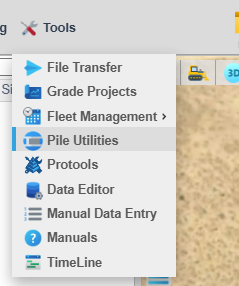
The Pile Utilities menu is accessed by pressing the “Pile Icon” toolbar button or in the Tools dropdown menu.

Layout
The Drill Utilities menu is laid out in two major sections. The tree on the left lists the current active folders in the PD Command system. The Right panel is a tabbed menu for making changes to the folders and design piles.
Pile Design Management
PD Command works with PD Grade to form an integrated system of synchronized pile designs and as-built data. Command is a node in the system and each machine is another node. Practically, this means that data added to one node is added to the entire system. If a new design is uploaded to Command, the other nodes will also have this design. When a pile driver drives a pile, data is recorded by PD Grade and synchronized across the entire system of nodes. All of the other PD Grade equipped pile drivers and Command now have the new as-built pile. Each machine and command are always working with the same data set. This facilitates real time updates of piles on every machine and in Command.
Pile designs in the PD Command system are organized in folders. This functions similarly to how folders work on a standard PC. Folders are given names, and sub-folders are added to existing folders. Individual pile designs function as files on a PC and exist in any folder, including but not limited to folders containing other folders. Pile pattern designs are loaded in PD Command by selecting a folder. In most cases, the best practice is naming files based upon the naming convention of patterns for the company and creating folders based on these names. Users manipulate folders in almost any fashion with very few rules; except the following:
- Folder names are unique. In order to maintain an identity in the system a folder’s name cannot be duplicated. This includes folders that are deactivated or archived (detailed definitions are provided later in this document). This also means folders cannot be renamed if they have piles or subfolders. Revisions can be merged in. If designs for existing piles in the design are being updated, a new .csv file upload overwrites the designs for that pattern, or new piles for that design are added. Piles can be deactivated to remove them.
- Pile names are unique within a folder.
- Designs must be loaded into Carlson Command and then sync to the other nodes. Conflicts occur if the same design is loaded into 2 nodes. If this happens a few issues can arise.
- Manual transfer of pile designs is accomplished by downloading a pile .JPLZ from Carlson Command->Pile Utilities->Export->Download and then transporting the .JPLZ to the PD Grade system by USB drive or 3rd party file transfer. In PD Grade go to Admin Tools->File Utilities->Import JPLZ
Terms
Folder - A folder is a container for piles or other folders. Folders group pile designs. They can represent a breakdown of Blocks, Arrays, or any other term for a pattern of piles. Best practice is placing piles in the lowest level of folders as a smallest unit of piles, and using parent folders as an organization of the smallest units of patterns.
Active - If a folder or pile design is active within the PD Command system, it is active or visible on all nodes. PD Grade machines can only view and pile from the active pile designs in that folder.
Inactive - An inactive folder or pile is removed from the list of active folders in Command and hidden completely from the PD Grade machines. Inactive folders still appear in Reporting.
Archived - An inactive folder is visible only from the Manage Folders tab in the Drill Utilities menu.
Root - In the folder system there is a base level called “root.” In the analogy of the PC this is like the C:\ drive.