Polygon Time Report
The polygon time report is a summary of some of the Uptime reports run only on a specific area.
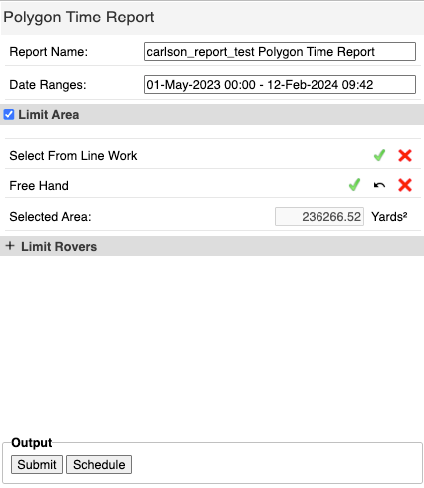
Polygon Time Report Menu
Note: Only machine movements in a user-defined area are included in the report.
Options
Select Limit Area and then define the area. The area can be selected from line work or drawing in the map view.
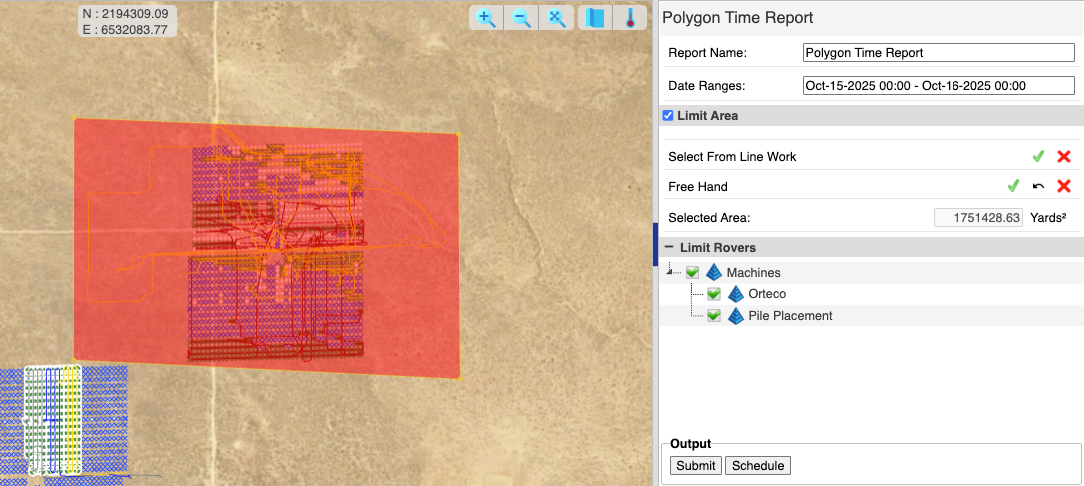
Polygon Time Report (Area Limited)
Output
The Polygon Time Report includes the Machine Time Breakdown of:
- Uptime: All of the time the Control box on the machine is powered on and Carlson Grade is running with Streaming enabled in Communication settings.
- Run Time: Time the machine is said to be "moving" based on the setting "Min Running Speed" in Settings → Limits.
- Idle Time: Time the machine is said to be "stopped" based on the setting "Min Running Speed" in Settings → Limits.
- GPS Down Time: Any time during a session where the GPS is not in a "Fixed" state, or a vital sensor such as a tilt sensor is offline.
- Session: One session of uptime from Grade start to Grade stop.
- Note: Also included are Distance, Average Speed and GPS Uptime.