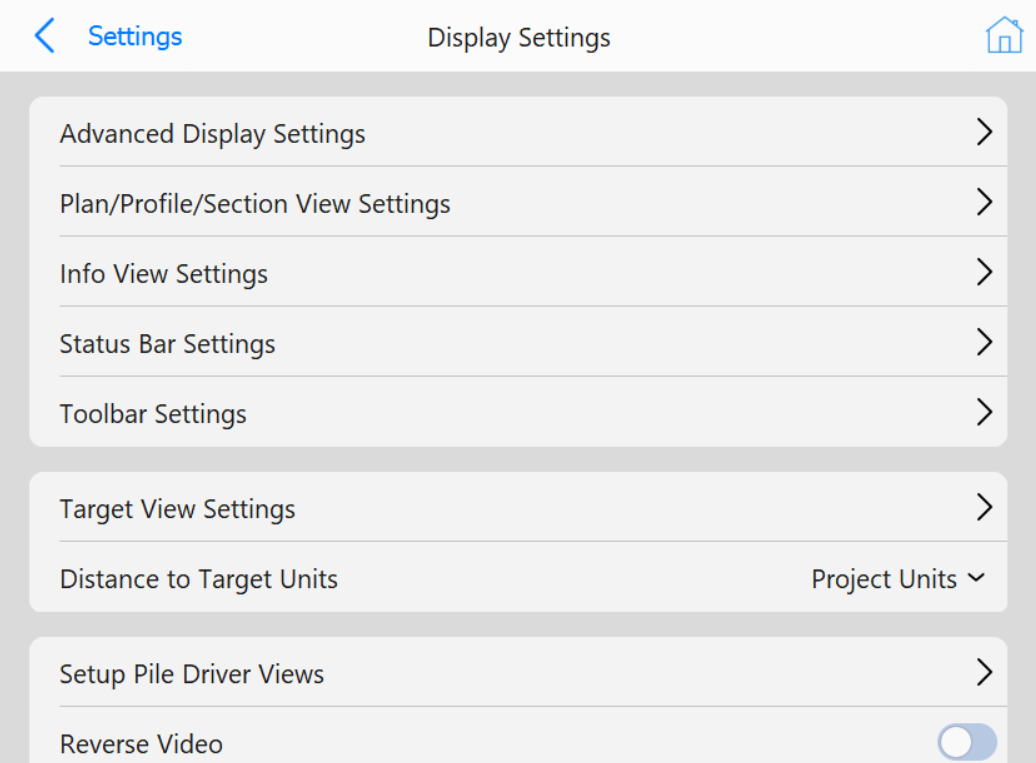
Display Settings
Display Settings Page
This page allows operators to go into settings for various aspect of the
Operator Interface
.
Buttons
Advanced Display Settings
: Opens the
Advanced Display Settings
page
Plan/Profile/Section View Settings
: Opens the
View Settings
page
Info View Settings
: Opens the
Info View Settings
page
Status Bar Settings
: Opens the
Status Bar Settings
page
Toolbar Settings
: Opens the
Toolbar Settings
page
Target View Settings
: Opens the
Target View Settings
page
Distance to Target Units
: Change units to target to one of the following
Project Units
Millimeters (mm)
Centimeters (cm)
Meters (m)
Inches (")
Feet (')
Foot-Inches ('-")
Setup Pile Driver Views
: Opens the
Setup Pile Driver Views
page
Reverse Video
: Reverse the colors of the views