Pile File Manager
This dialog provides tools for the user to modify local pile information.
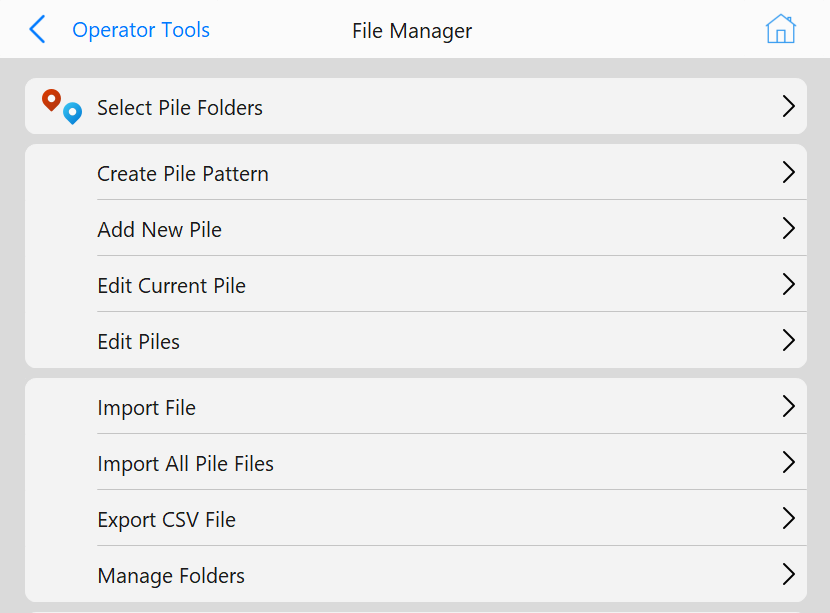
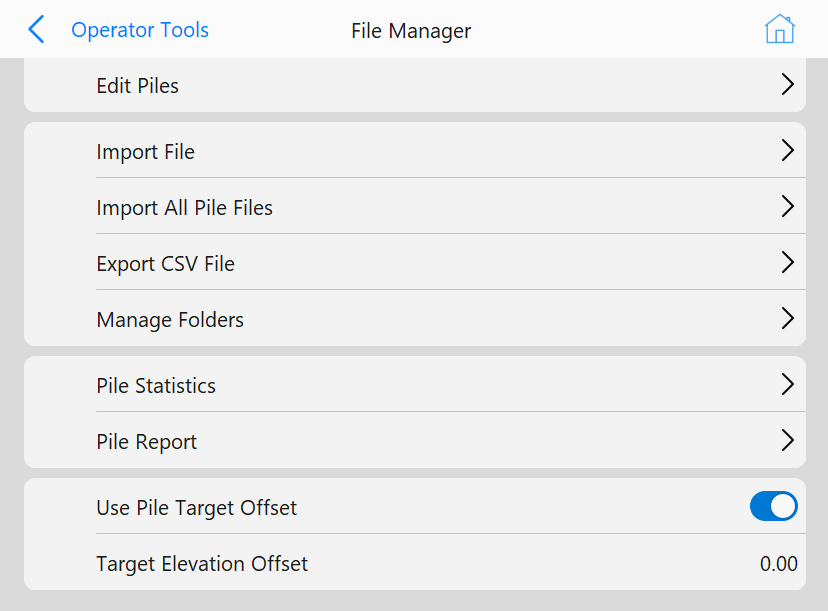 Pile File Manager
Buttons
- Select Pile Folders: Choose which pile folders Grade should show in the Plan View or 3D View.
- Create Pile Pattern: Use Grade to generate a new pile pattern.
- Add New Pile: Use the Pile Editor to create a new pile.
- Edit Current Pile: Use the Pile Editor to edit the current pile.
- Edit Piles: Use the Pile Selection Tool to select piles to edit.
- Import File: Use the File Selection Tool to choose a pile file to import.
- Import All Pile Files: Import every pile file the the Data folder.
- Export CSV File: Choose piles to be exported in CSV format.
- Manage Folders: Choose which pile folders show in the Pile Selection Tool
- Pile Statistics: Show statistics of driven piles
- Pile Report: Create a pdf report of desired piles
- Use Pile Target Offset: Toggle using the target offset
- Target Elevation Offset: Enter a target value for the Pile Elevation Offset